// SMALL BUSINESS
CRM for Small Business: Choosing a Tool and Getting It Actually Used
Search "best CRM for small business" and you will find dozens of software roundups, each ranking the same five or six products with slightly different feature tables. What almost none of them mention is this: most small businesses that end up unhappy with a CRM did not choose a bad one. They chose a reasonable tool, used it for a few weeks, and then quietly stopped, because nobody set up the habits and automations that keep a CRM current once the excitement of a new tool wears off. If you are choosing a CRM for the first time, or wondering why the one you already pay for is full of stale contacts and half finished deals, the fix is the same. Spend less time agonizing over which product to buy, and more time on what happens after you buy it. This guide covers both: a short, practical way to pick a CRM that actually fits your business, and the automations and habits that keep it alive once it is set up.
Why does choosing a CRM feel harder than it should be?
Open any "best CRM for small business" article and the format is almost always the same: a list of eight or nine tools, a feature table, and a few paragraphs on pricing tiers. The products blur together quickly, because most mainstream small business CRMs now offer a similar core set of features: a contact list, a pipeline or deal tracker, some kind of email or calendar connection, and a handful of automation options.
That similarity is exactly why the choice of tool is rarely the real problem. The harder, less discussed question is what happens in the weeks after setup, when the novelty has worn off and the CRM has to compete with the email inbox, the group chat and the spreadsheet your team already knows how to use. A CRM that nobody keeps updated is worse than no CRM at all, because it gives you a false sense that the information is tracked somewhere when it is not.
This guide treats both questions directly: a short way to narrow down a tool that fits your business, without getting lost in feature comparisons you do not need yet, and then the part almost nothing else covers in plain language, which is what has to happen afterward for a CRM to actually stay useful.
What is a CRM for small business, and what does it actually do?
A CRM, short for customer relationship management, is a record of every contact, conversation and deal your business has, kept in one place instead of scattered across one person's inbox, a notebook and a handful of spreadsheets. At its simplest, it answers three questions on demand: who have we spoken to, what did we agree to or promise, and what needs to happen next.
For a small business, a CRM usually does a few concrete jobs. It tracks leads from first contact through to a won or lost deal, so nothing depends entirely on one person remembering. It holds a history of calls, emails and notes against each contact, so anyone on the team can pick up a conversation without starting from zero. It can prompt a follow up at the right time, instead of relying on someone noticing a date on a sticky note. And it gives an honest, current view of how many deals are open and roughly where they stand, instead of a guess based on who happens to be in the office that day.
A CRM is not, by itself, a marketing tool, an invoicing system or a project manager, even though many products now bundle in pieces of all three. Trying to make it do everything at once is one of the more common ways a small team ends up overwhelmed before the CRM has proven its basic value.
How do you choose a CRM that fits your business?
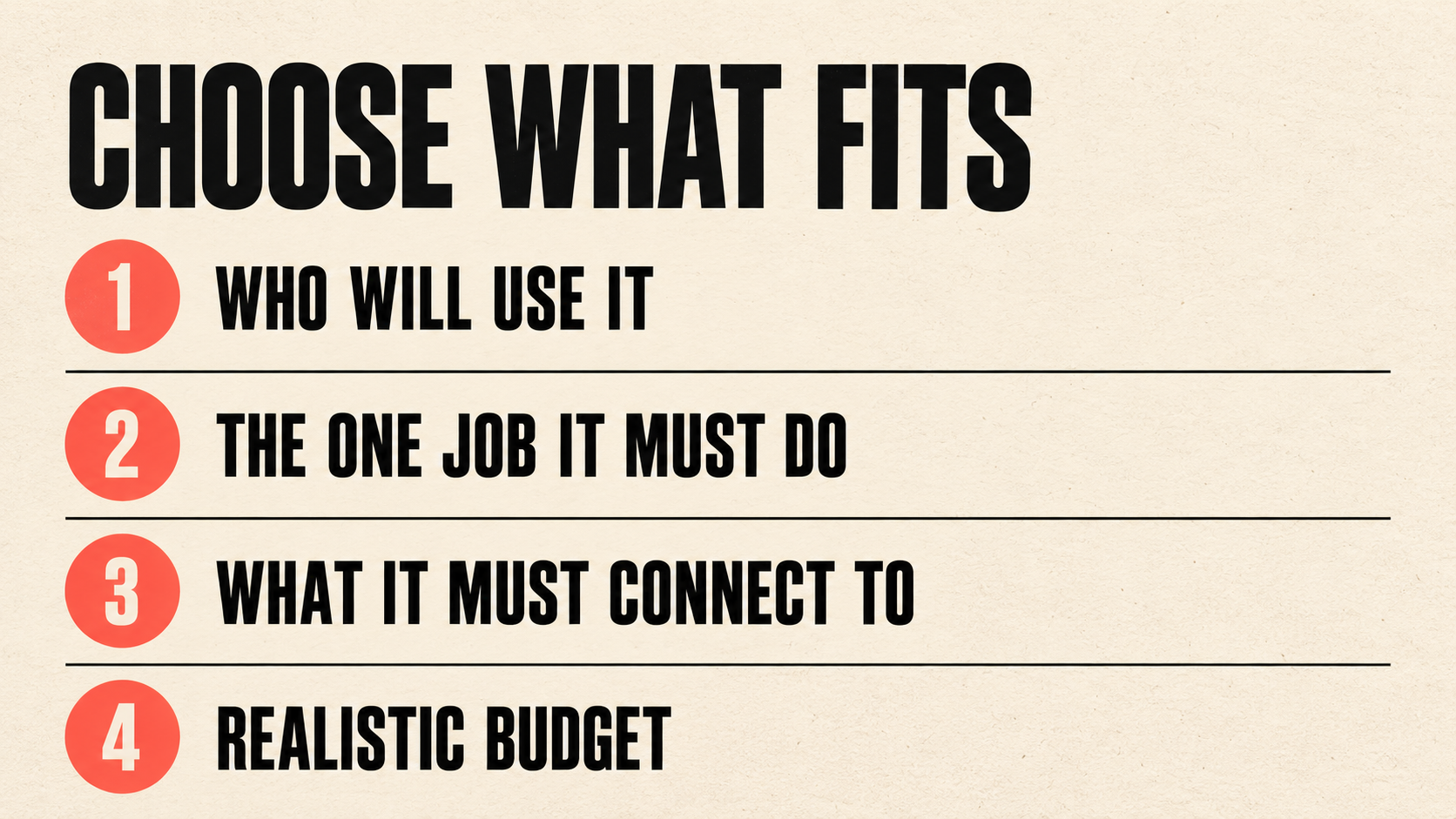
Rather than comparing every feature across every product, four questions narrow the field quickly for most small businesses.
How many people will actually use it day to day? A CRM built for a sales team of thirty has a different shape, and a different price, than one built for an owner operator and two part time staff. Pick for the team you have now, not the one you hope to have in three years.
What is the one job it has to do well on day one? For a service business, that is usually tracking enquiries and jobs from first contact to completion. For a business built on referrals and repeat clients, it might be keeping an accurate history so nothing gets forgotten between visits. Whatever that one job is, test any tool against it directly before looking at anything else.
What does it need to connect to already? If your enquiries come through a website form, email and the phone, check that the CRM can pull from all three without someone manually retyping details. A CRM that only connects cleanly to one of your existing channels will always have gaps.
What is a realistic budget band, including the cost of getting it set up properly? Many small business CRMs price per user per month, with higher tiers unlocking marketing automation, advanced reporting or more integrations. It is easy to pay for a tier built for a much larger sales operation and use a fraction of it. A simple CRM for a small business, used consistently, beats a powerful one that only the owner ever opens.
Once those four questions are answered, the shortlist is usually short enough to trial two or three tools directly with real enquiries, rather than comparing feature tables indefinitely.
Why do small businesses stop using their CRM?
This is the question almost none of the buying guides ask, and it matters more than which product you pick. A few patterns show up again and again.
The CRM was set up around what the owner wanted to see in a report, not around what the person doing the day to day data entry actually needed. If logging a call or updating a deal takes several extra clicks compared to just remembering it, busy staff will skip it, and the data quietly goes stale.
The CRM has to compete with tools your team already trusts. Email and a shared spreadsheet feel familiar and fast, even when they are worse at the job. Unless the CRM is clearly easier for the specific task at hand, people will drift back to what they know, especially under time pressure.
Training stopped at the initial walkthrough. A single demo when the tool is first set up rarely covers the questions that come up once people are using it for real, a few weeks in. Without someone available to answer those questions, small frustrations build up instead of getting resolved.
A messy first experience, such as a clunky import full of duplicate contacts, leaves a lasting impression. Even after the data is cleaned up, staff who were burned once tend to double check everything manually rather than trust the system, which defeats much of the point.
Nobody owns it after launch. A CRM that is never reviewed drifts: fields go unused, automations that made sense on day one stop matching how the business actually works, and small annoyances pile up because no one is responsible for fixing them.
What should be automated inside a CRM so it actually gets used?
The automations worth setting up are the ones that remove manual data entry, since manual entry is the actual reason most CRMs fall out of use, not a lack of features.
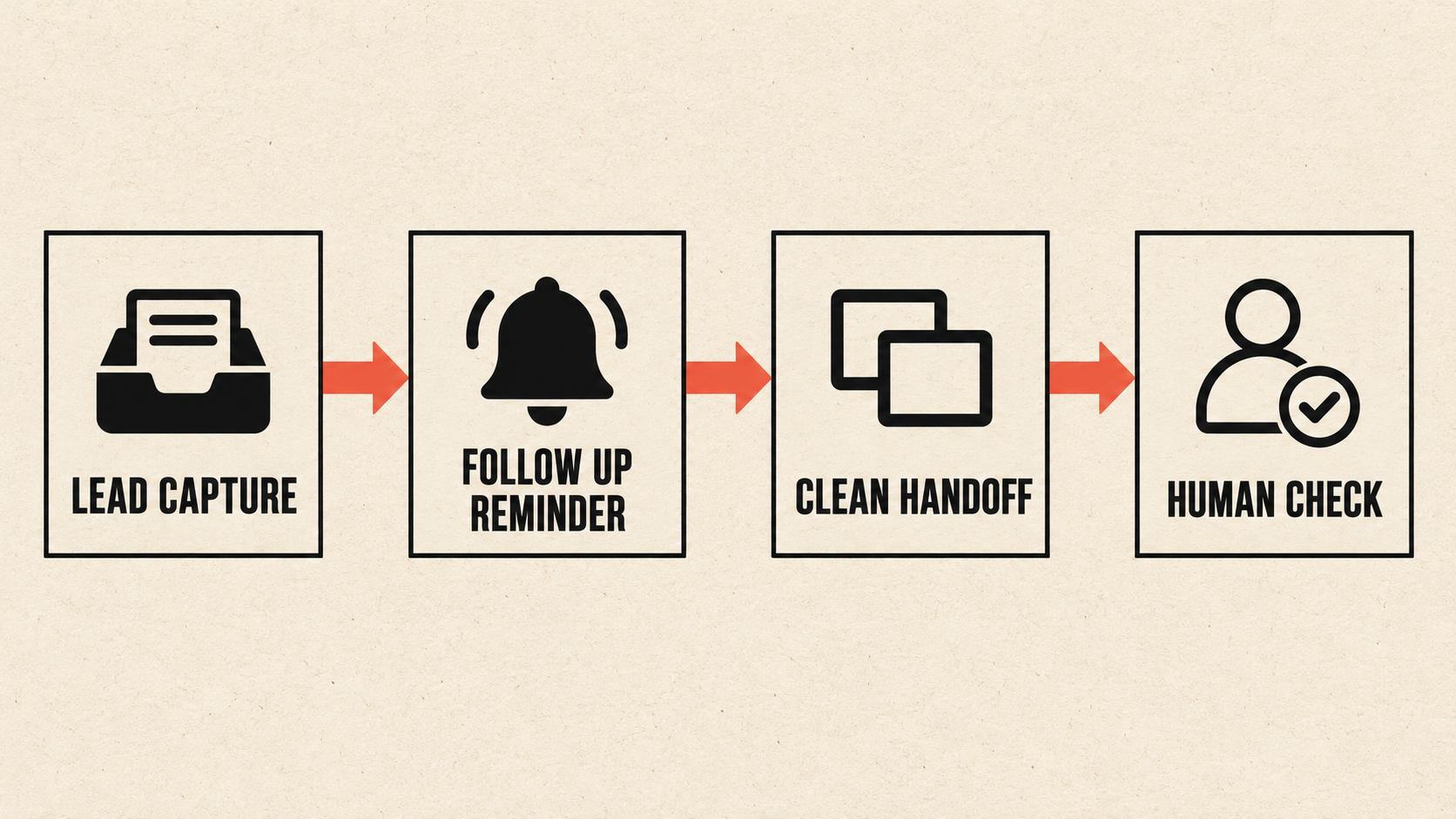
Automated lead capture is the first and most valuable one. When an enquiry comes in through a website form, a booking page or even a phone call that gets logged, the details should land directly in the CRM without anyone retyping a name, number or message. Every manual re-entry step is a chance for a lead to sit in an inbox and go cold before anyone notices.
Automated follow up reminders come next. Rather than relying on someone remembering to check back on a quote after three days, a reminder (or in some cases an automatic draft message for a person to review and send) keeps deals moving without becoming anyone's mental to-do list. This is CRM automation in its most practical form: not replacing judgment, just removing the chance of forgetting.
Clean handoffs matter just as much. When a quote is accepted, the job details should move into whatever comes next, a calendar, a job list or an invoicing tool, without someone copying the same information a second or third time. Every handoff that still requires manual retyping is a place where a mistake or a delay can creep in.
Finally, basic data hygiene automation helps keep trust in the system. Flagging contacts that have gone quiet for a set period, or catching likely duplicate entries, gives a person a short, manageable list to review, rather than nobody ever looking until the whole database feels unreliable.
None of this requires a complicated setup. The goal is simply that information entered once keeps moving on its own, instead of depending on someone remembering to carry it forward by hand.
What does this look like in practice?
These are examples of how the ideas above tend to play out, not a promise of what any specific business will see, since the right setup always depends on how a business already works.
Example: a small landscaping company. The owner picks a simple CRM mainly to track quotes and seasonal bookings. A reminder is set to follow up automatically two days before a quote is due to expire, and confirmed bookings pull straight from the shared calendar, so the office no longer retypes each appointment by hand.
Example: a small consulting practice with three advisors sharing a pipeline. New enquiries from the website used to land in a shared inbox that only one person checked regularly, and some were missed entirely. Now each enquiry is logged directly into the CRM with the referral source attached, so any advisor can see what is open without digging through old emails.
Example: a small retailer running a simple loyalty program. Rather than hoping someone notices a regular customer has gone quiet, an automated tag flags anyone who has not ordered in a set period. A staff member then decides, case by case, whether a quick check in email makes sense, rather than it happening only by chance, if at all.
In each case, the pattern is the same. The CRM itself is unremarkable. What changed is that the information moves on its own between the first contact and the next action, so the people involved spend their time on the conversation itself, not on retyping it.
Who should set this up alone, and who should get help?
Setting up a simple CRM yourself tends to work well for a small team, roughly two to ten people, who can describe their current process clearly, even informally, and who are willing to spend a few hours mapping it out before choosing a tool. If your enquiries mostly come through one or two channels and your workflow is reasonably simple, many small business CRMs can be configured directly by an owner or office manager without outside help.
It may be too early to invest much time at all if your enquiry volume is still small and a simple spreadsheet, used consistently, is already doing the job. Adding a CRM on top of a process that is not yet settled usually just moves the same confusion into a new tool.
Outside help is usually worth considering when the automations need to connect several existing systems in specific ways, such as a website form, a scheduling tool and an invoicing system that all need to talk to each other reliably. It is also worth considering if your business has already tried a CRM once, had it fail from disuse, and wants a second attempt to actually stick this time, or if the need is clear but nobody on the team has the time to configure it properly alongside their regular work.
Whatever the setup, a few decisions should always stay with a person: anything involving a price, a discount or a contract term, any promise made to a customer about timing or availability, and any situation that sounds like a complaint rather than a routine enquiry. Automation should remove the retyping and the forgetting, not the judgment calls.
What a CRM that is actually used gives you
- +Fewer leads slipping through the cracks
Automated capture and follow up reminders mean a busy day for one person does not quietly become a missed enquiry.
- +Less duplicate typing
Information entered once, from a form or a call, carries forward on its own instead of being retyped two or three times.
- +A record that survives staff turnover
Contact history, notes and open deals stay with the business rather than leaving with one employee.
- +An honest read on the pipeline
A CRM that is kept current gives a real picture of open deals, rather than a guess based on memory.
- +Room to grow without starting over
A simple setup that works well now can usually add more automation and reporting later, rather than being replaced.
- +Time back for the parts of the job that need a person
Less time spent re-entering the same details means more time for calls, quotes and jobs that actually need judgment.
How much does a CRM cost, and what should you ask?
Cost depends on a handful of factors rather than a single number: how many people need a seat, which tier of features the business actually needs versus what looks impressive in a demo, whether setup and data migration from a spreadsheet or another system is included, and whether CRM automation is simple enough to configure in house or needs outside help to set up properly. Because those factors vary so much between businesses, we do not publish a single figure here, and it is worth treating any quote that is given before anyone has looked at your actual process with some caution.
What is worth asking directly, whether you are pricing software alone or software plus setup help: what exactly is included at this tier, and what triggers an extra cost. What does each additional seat cost as the team grows. Is help with setup and data migration included, or billed separately. And if you decide to switch tools or providers later, how easily can your data actually move with you.
The clearest way to get a useful answer is to describe your actual leads, quotes and handoffs, and ask what a sensible setup would cost for that specific workflow, rather than asking for a general price. A sensible next step is a short, low pressure conversation. Message us on WhatsApp at +1 306-518-7811 or call +1 833-998-1234. You can also book a free 15-minute discovery call at underdogcreativesolutions.com/contact.
How Underdog approaches CRM and automation
Underdog Creative Solutions is a Saskatoon based agency working with small and growing businesses across Canada and the United States. Our AI business automation work, including CRM automation, custom AI agents and AI integrations, is built around the tools a business already has in place wherever possible, rather than asking a team to abandon a CRM it has already invested time in.
We also build websites, create ongoing content and set up AI receptionists, and for many businesses the four connect naturally. A modern website that Google and AI tools such as ChatGPT can read brings enquiries in. An AI receptionist answers calls and messages and captures the details. CRM automation then carries that information forward into follow ups and handoffs, so nothing gets typed in twice. Ongoing content keeps the business visible while all of that runs in the background.
You do not need all four to start, and we are not going to suggest you do. Most businesses begin with whichever piece is causing the most day to day friction right now, and figuring out which that is matters more than buying everything at once.
Frequently asked questions
Talk to Underdog about your business
Have questions about your website, content, AI receptionist or business automation? Message us on WhatsApp at +1 306-518-7811 or call +1 833-998-1234. You can also email support@underdogcreativesolutions.com.
Follow Underdog Creative Solutions on Facebook, Instagram, LinkedIn, and YouTube for practical AI and marketing ideas for Canadian small businesses.