// SMALL BUSINESS
AI Email Assistants for Small Business: Useful Tool or Automation Shortcut?

Search "AI email assistant" and nearly everything you find is written for one person trying to clear their own inbox faster, not for a business trying to handle customer email properly. Those are different problems, even though they sound similar. For a small business, an AI email assistant for business means triaging incoming customer enquiries, drafting template replies for a person to approve, flagging anything urgent, and feeding useful details into the rest of how the business runs, as one piece of broader email automation for small business rather than a standalone inbox gadget. This guide looks at what that actually involves, how to tell a useful tool from an automation shortcut that still needs someone watching it closely, and how it connects to wider business automation if that is ever the next step.
Why most AI email assistant tools answer the wrong question for a business
Nearly every article, review roundup and comparison chart ranking for "AI email assistant" right now is written about personal productivity: clearing your own backlog faster, summarizing long threads, or drafting a reply to a colleague in your own voice. Most "best AI email tools" and "best AI email assistant" lists online compare products on exactly that basis, built around one person and their personal inbox habits.
A small business owner searching the same term is usually trying to solve something different: customer emails sitting unanswered for a day or two, the same three or four questions arriving over and over, and no consistent way to make sure a quote request or a complaint actually gets a reply before the customer gives up and calls a competitor instead.
The tools are related, since both use similar underlying AI to read and draft text. But a personal inbox assistant optimizes for one person's email habits. A tool built for ai email management in a shared business inbox has to work for multiple staff and customers who expect a consistent answer whoever eventually replies. That difference changes what actually matters when you are choosing one.
What is an AI email assistant for a business, and how is it different from a personal inbox tool?
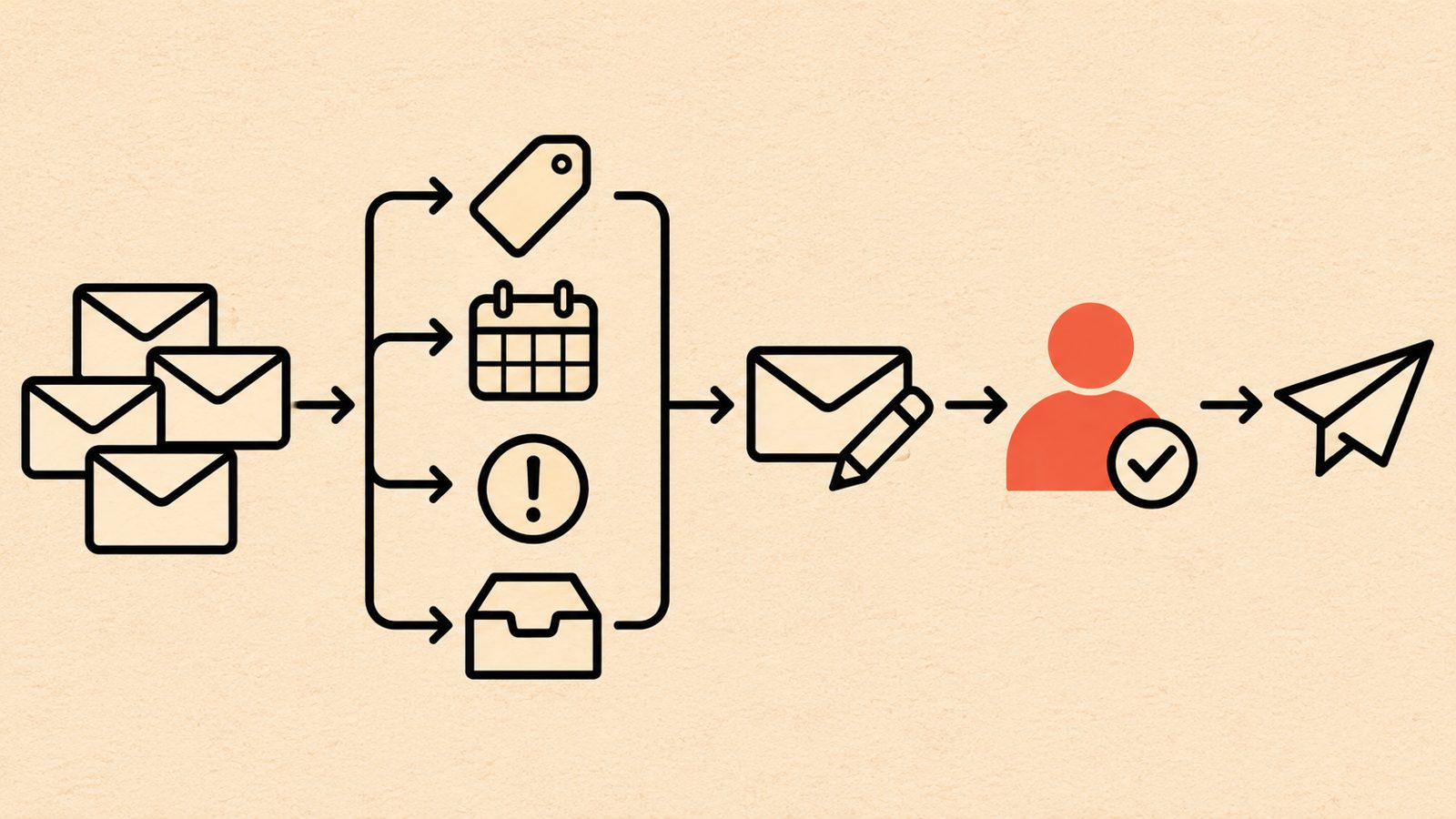
An AI email assistant for business reads incoming email (and often the equivalent contact form or chat messages) addressed to a shared inbox such as info@ or sales@, sorts it by what it is about and how urgent it looks, and drafts a response based on the business's own approved information for a person to review before anything is sent. Some setups also pull out details worth tracking, such as a customer's name, the service they are asking about, or a preferred appointment time, and pass those into a calendar or customer list automatically.
That is a narrower job than a personal AI inbox tool does. A personal assistant has to understand one person's writing style, priorities and relationships across years of mixed email. A business email assistant only has to be reliable within a defined, repeatable set of situations: the handful of question types that make up most of a business's incoming mail. That narrower scope is an advantage for ai email management in practice. It is easier to get a system right, and easier to spot when it gets something wrong, when the range of situations it handles is known in advance rather than open ended.
The line between an AI email assistant and broader email automation for small business is mostly about how much the system does on its own. A tool that only drafts a reply for a person to send is still an assistant. Once it starts booking appointments directly, updating records without anyone checking, or triggering other systems on its own, it has moved into wider business process automation, even if it still lives inside the inbox. Many businesses start with the narrower version and only move further once they trust it.
Useful tool, or just an automation shortcut in disguise?
The title of this guide asks a fair question, because the two look similar from a sales page and behave very differently in practice.
A useful AI email assistant is built around review. It drafts, it suggests, it flags, and a person decides what actually goes out, at least for anything outside a small, proven set of routine replies. Over time, as specific categories prove reliable, a business might choose to let a narrow slice send automatically, but that is a deliberate decision made after watching it work, not a default setting.
An automation shortcut, by contrast, is a system sold on doing as much as possible with as little setup and oversight as possible. Some warning signs are worth watching for during a sales conversation: a pitch that the tool can "handle your whole inbox automatically" with no mention of a review step; vague claims that it will "understand your business" without asking for any actual policies, pricing structure or examples; no mention anywhere of what it should not be trusted to do; or pressure to turn on auto-send everywhere right away rather than starting narrow and expanding once it is proven.
Neither approach is inherently wrong. A well scoped automation can do more over time. The problem is being sold the second kind while believing you are getting the first, and only finding out the difference after a customer receives a reply that should never have gone out unreviewed.
What can an AI email assistant for a business actually do?
Most setups that work well for a small business combine a handful of specific jobs rather than one all purpose feature.
Sorting and prioritizing. Incoming messages get grouped by what they are actually about (a quote request, a booking question, a complaint, a general enquiry) and flagged by urgency, so a person opening the inbox sees what needs attention first instead of scrolling through everything in arrival order.
Drafting replies from approved information. For the common, repeatable questions, the assistant drafts a response based on information the business has given it in advance, such as service hours, a price list structure, or standard policies. A person reads the draft, edits anything that needs it, and sends it. The assistant is assembling an answer from what it has been told, not inventing one.
Summarizing long threads. When a conversation has gone back and forth several times, a short summary at the top saves whoever picks it up from reading the whole history before responding.
Capturing details into other systems. A name, contact information, what was asked about, and any date mentioned can be pulled out and added to a customer list or calendar automatically, instead of someone retyping it later.
Follow-up reminders. If a customer email has gone unanswered longer than it should have, or a quote sent out has had no reply after a set number of days, the assistant can flag it for someone to follow up, rather than it quietly disappearing down the inbox.
None of this requires the system to send anything on its own for a situation that is not routine and pre-approved. The judgment calls still sit with a person; the assistant's job is making sure the routine work does not eat the time needed for those judgment calls.
What this looks like in practice
These are examples of how the pieces above might come together, not a promise of what any specific setup would include, since the right combination always depends on what a business's email actually looks like day to day.
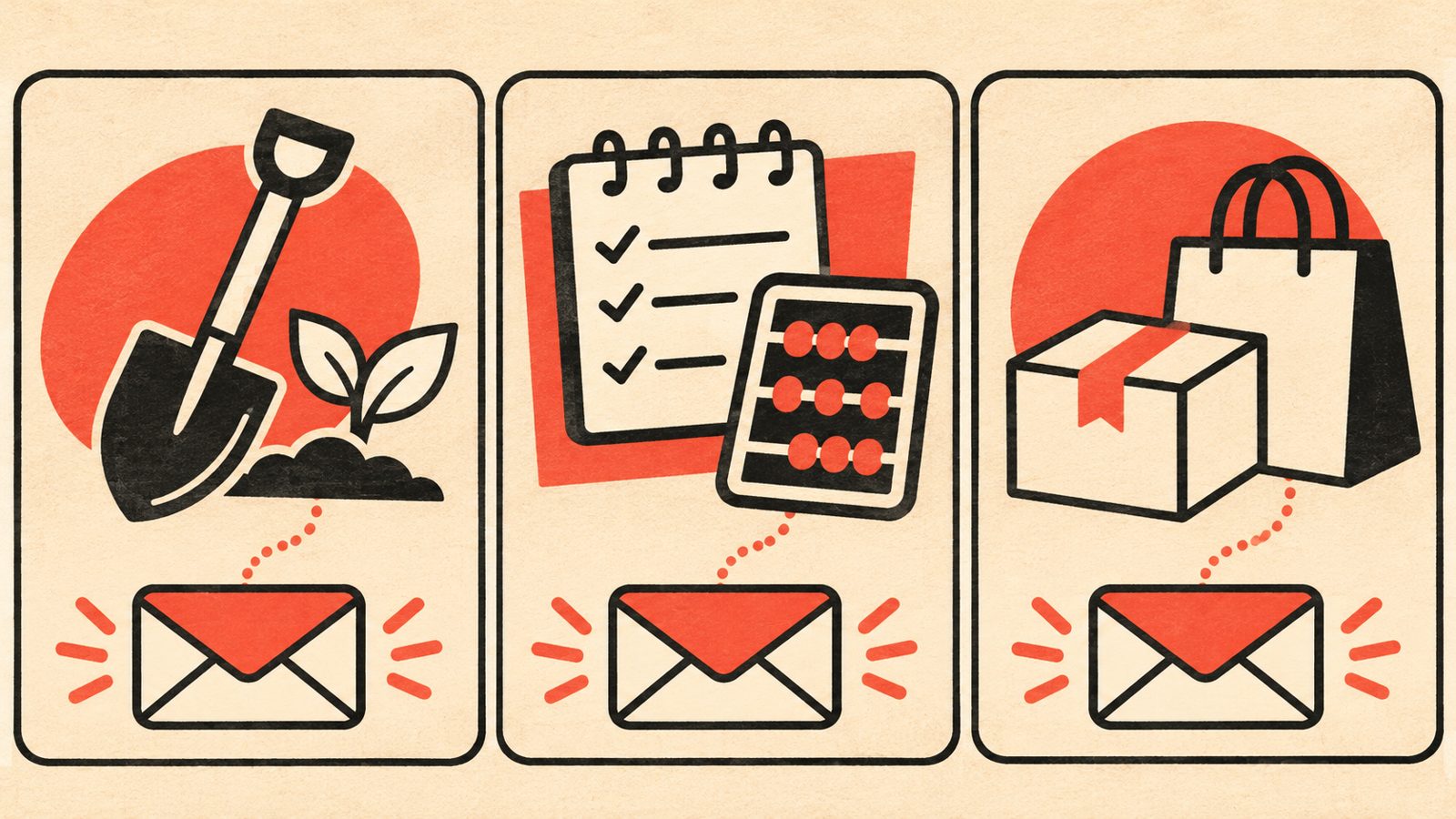
Example: a landscaping company fielding quote requests. Most incoming email asks for a quote on a similar handful of services. The assistant sorts quote requests out from general questions, drafts a reply asking for the two or three details needed to actually quote (property size, specific service, rough timeline), and flags anything mentioning storm damage or another urgent situation for an immediate look rather than waiting in the normal queue.
Example: an independent bookkeeper managing client document requests. Clients email receipts, questions about a specific transaction, and requests for a status update, often mixed into the same thread. The assistant summarizes each thread, tracks which documents are still outstanding against a checklist, and drafts a plain status update for the bookkeeper to personalize and send, rather than the bookkeeper rereading the whole thread from scratch each time.
Example: a small online retailer handling order questions. Most messages are one of a handful of repeat questions: shipping time, sizing, or a return. The assistant drafts an answer to the routine ones for a staff member to send with one click, and separately flags anything mentioning a damaged item or a complaint for a person to handle personally, with no automated reply sent on those.
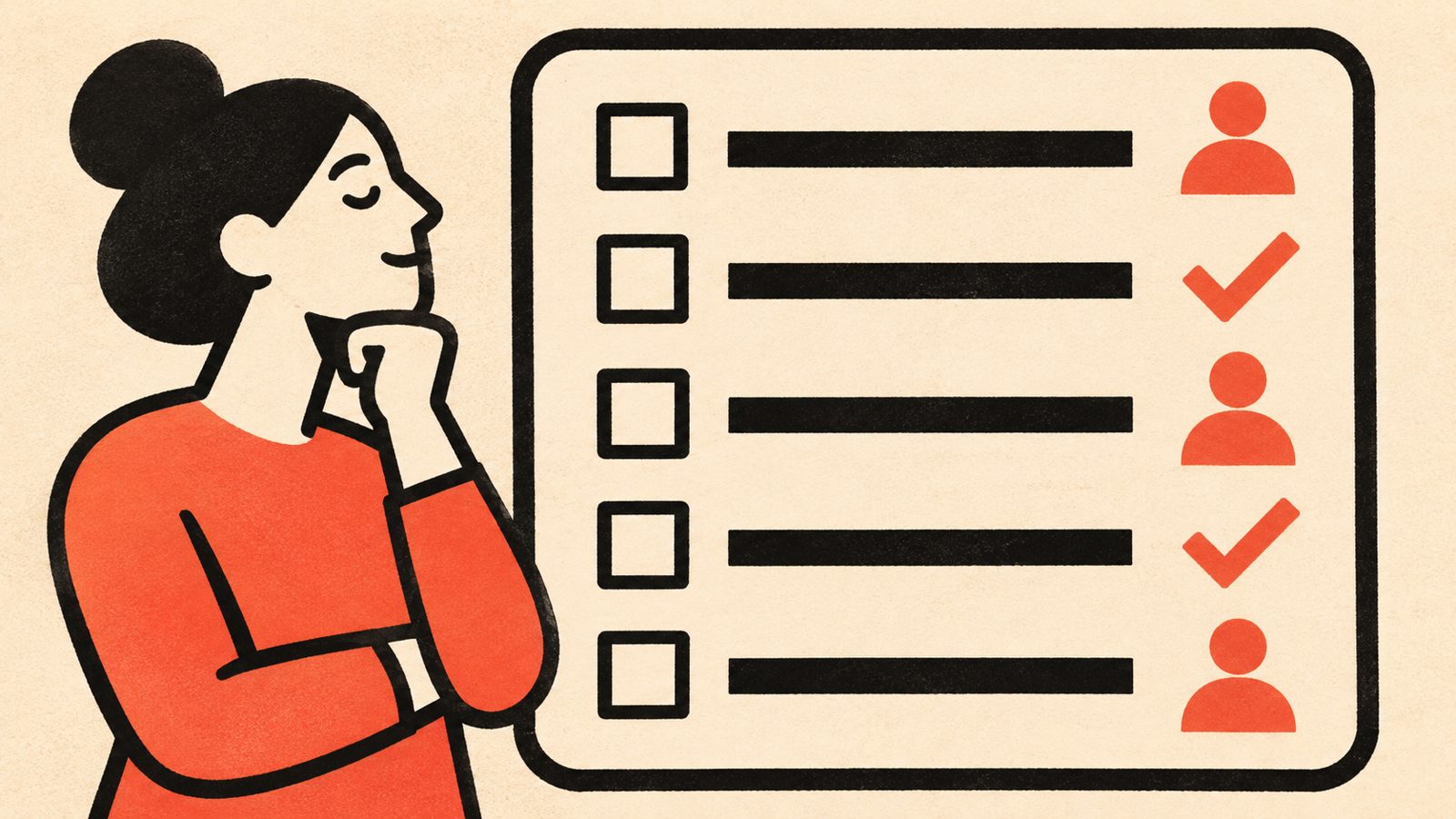
In each case, the pattern repeats: the assistant handles sorting, drafting and reminding. A person still makes the call on anything unusual, anything involving money, and anything where the customer sounds upset.
What should always stay with a person
However capable the drafting gets, certain decisions should not be handed fully to an automated system, whatever a vendor's marketing promises.
Anything involving a price, a quote, a discount or a refund. A draft can suggest a number based on information already approved, but a person should confirm it before it goes to the customer.
Complaints and anything that reads as upset or frustrated. These need a human tone and judgment that a template reply cannot provide, and sending an automated sounding response to an upset customer usually makes things worse, not better.
Anything where personal or sensitive customer information is involved. Be deliberate about what the assistant is allowed to read, store and act on, and keep that scope as narrow as the task actually requires. In Canada, businesses handling customer personal information have obligations under federal privacy law and, in some provinces, additional provincial legislation, so this is a real compliance question, not a technicality.
Anything unusual, or outside the handful of situations the assistant was set up to handle. A system working from pre-approved information will not have a good answer for something it has not seen before, and a confident sounding wrong draft is harder to catch than an obvious gap, since it is easy to miss on a quick read.
The final send, in most setups worth running. Many businesses start by having every drafted reply reviewed before sending, and only consider auto-sending for the narrowest, most repetitive categories once the system has a track record of getting those specific ones right.
Who this suits, and who should wait
An AI email assistant tends to be worth setting up for a business with a real, steady volume of incoming customer email that repeats the same handful of question types, and at least one person spending noticeable time each day just triaging and replying to routine messages. It also suits a business willing to put in the upfront work of writing down its actual policies and common answers clearly, since the assistant can only draft from information it has actually been given.
It is probably not worth it yet if your email volume is small, a handful of messages a day that you can read and answer in a few minutes without feeling behind. A simple set of saved reply templates you use yourself may cover the same ground for far less setup effort.
It is also not the right fit if you are hoping to stop reading customer email altogether. That is not a realistic outcome from any setup, and treating it as one is how a business ends up sending an angry customer an obviously automated reply to a real problem.
If you are unsure which category you fall into, spend a week tagging every incoming email by type as it arrives (quote request, booking question, complaint, general question, something else). That short tally tells you quickly whether the repeat questions are common enough to be worth automating, and gives any provider something concrete to respond to instead of a vague description.
What a well set up AI email assistant can add
- +Less time on repetitive replies
Drafting the routine answers frees up time for the email that actually needs a person's judgment.
- +Faster first response
A sorted inbox with drafts ready means routine replies can go out sooner, instead of waiting behind everything else.
- +Fewer dropped requests
Follow-up reminders catch messages that would otherwise sit unanswered until a customer gives up.
- +A consistent starting answer
Draft replies built from the same approved information mean customers get a similar quality of answer whoever reviews it.
- +Useful detail capture
Pulling names, services and dates into a calendar or customer list saves someone retyping it later.
- +A realistic first automation step
Email triage is a smaller, lower risk place to start than a full automation project, and a useful trial before deciding whether to go further.
What does it cost, and what should you ask about pricing?
Cost depends on a handful of factors rather than a single number: how many inboxes or shared addresses need covering, how many distinct question types the assistant needs to handle well, how much of your existing policy and pricing information is already written down clearly, and whether you want full human review of every draft or eventual auto-send for the narrowest categories. Because those factors vary so much between businesses, we do not publish a single figure here, and any provider quoting a firm price before understanding your actual email volume and question types is worth a second look.
What is worth asking directly: is this priced per inbox, per user, or as a setup cost plus an ongoing fee? What exactly counts as a "question type" or a "workflow" for pricing purposes? Is review and adjustment included for the first few weeks while the drafts get tuned to your business, or billed separately? What happens to the system and your data if you decide to stop using it? The clearest way to get an honest answer is to describe your actual email volume and the handful of questions that repeat most, and ask what is realistic for that specific situation.
A sensible next step is a short, low pressure conversation. Message us on WhatsApp at +1 306-518-7811 or call +1 833-998-1234. You can also book a free 15-minute discovery call at underdogcreativesolutions.com/contact.
How Underdog approaches AI email and business automation
Underdog Creative Solutions is a Saskatoon based agency working with small businesses across Canada and the United States. Our AI business automation work, including custom AI agents, CRM automation and AI integrations, is built around the specific questions and workflows a business actually has, rather than a generic inbox tool applied to every business the same way.
Email triage is often one small piece of a bigger picture. We also provide website solutions, content solutions and AI receptionist services for calls and texts, and for many businesses these connect naturally: a website and content that are easy for customers and AI tools such as ChatGPT to find and understand, an AI receptionist covering calls and texts, and automation carrying details from any of those channels into your calendar, customer list and follow ups, so nothing gets typed in twice.
You do not need all four services to start, and we would rather help you work out which one is actually causing the most day to day friction than sell you a bundle you do not need yet.
Frequently asked questions
Talk to Underdog about your business
Have questions about your website, content, AI receptionist or business automation? Message us on WhatsApp at +1 306-518-7811 or call +1 833-998-1234. You can also email support@underdogcreativesolutions.com.
Follow Underdog Creative Solutions on Facebook, Instagram, LinkedIn, and YouTube for practical AI and marketing ideas for Canadian small businesses.