// SMALL BUSINESS
AI Business Automation for Vancouver Small Businesses: Cutting Through the Noise

Your phone buzzes with a new lead from the website while you are already juggling two WhatsApp threads with suppliers, a spreadsheet of open quotes, and a calendar that somehow booked two appointments in the same slot on Thursday. None of this is hard work on its own. Together, it is the reason your week disappears before the actual client work even starts. If you have searched for [AI business automation](/services) [Vancouver](/locations/british-columbia/vancouver) options, you have probably landed on a wall of agency pitches, directory roundups ranking the "top" local providers, and a Reddit thread or two full of mixed opinions. Almost nothing explains the category itself before asking you to pick a vendor. The direct answer: AI business automation means connecting the tools you already use and adding AI to handle the reading, sorting and drafting work that eats your week, usually starting with one task, with a person still approving anything involving money, a promise to a customer, or a judgment call. This guide covers what it actually means, how to pick the first task worth automating, how to evaluate any provider you talk to, and where a person needs to stay in charge.
The real problem: a lean team outgrowing its own systems
Vancouver's small business market is dense and expensive to operate in, which pushes most owners toward lean teams. That usually means the same two or three people are answering the phone, replying to enquiries across three or four channels, updating a customer list, and still trying to do the paid work. Add a busy stretch, a staff member off sick, or a seasonal rush, and something always slips: a lead sits unanswered for two days, a detail gets typed into the wrong spreadsheet, a follow up that was supposed to go out never does.
Search for help with any of this and you run into the opposite problem. Vancouver has a crowded field of AI automation agencies, consultants and freelancers, each with a confident pitch and a slightly different story about what they can do. Directory sites list dozens of local options. What is almost never there is a plain explanation of what you are actually buying, how a solid proposal differs from an impressive sounding one, and whether now is even the right time for your business to automate anything.
That gap is what this guide tries to close. Not a ranking of Vancouver providers. A way to think clearly before you talk to any of them.
What AI business automation actually means
Business automation, on its own, means setting up your tools so a task happens on its own when something triggers it. A form gets submitted, so a contact record is created and a confirmation goes out. A job gets marked complete, so a review request is scheduled for two days later. That kind of rule based automation has existed for years and does not need any AI at all.
AI business automation adds a layer that can handle messier, less predictable input. Instead of only following an exact rule, an AI model can read an incoming message, work out roughly what the person wants, draft a reply for a person to check, pull the useful details into the right fields, or decide which team member should see it next. The AI is doing the reading and sorting. The structure around it, the rules about what it can and cannot do on its own, is still something a person has to design and keep checking.
A short glossary helps, because the vocabulary gets thick quickly. A workflow is a repeatable sequence of steps, for example enquiry, quote, booking, invoice. An integration is a connection that lets two of your tools share information, such as your website form and your customer list. A CRM, or customer relationship management system, is where you keep customer details and conversation history. An AI agent is an AI set up to handle a defined job, such as sorting incoming enquiries or answering common questions, inside limits a person sets.
It is worth being equally clear about what this is not. It is not a single piece of software that runs your business for you. It is not something you install once and never touch again. It is a set of connections and AI assisted steps built around how your business already works, and like any system, it needs to be checked, corrected and adjusted as your business changes.
The four parts behind every working automation
Whether an automation is simple or elaborate, it is built from the same four parts.
A trigger starts the process: a new website enquiry, a missed call, a paid invoice, a booking scheduled for tomorrow. Information gets gathered, from the incoming message itself, from your customer list, from your calendar, or from pricing you have already approved. An action happens: a record gets created or updated, a text or email goes out, a task gets added for a team member, a slot gets booked, or a reply gets drafted. A human checkpoint reviews anything involving money, a promise made to a customer, or a situation that is not routine, either before it goes out or immediately after, depending on the risk.
The AI part usually sits in the information step: reading an unstructured message and turning it into something the rest of the workflow can act on. Everything else is careful setup work: connecting the tools you already use, writing clear rules about what the system may and may not decide on its own, and testing it against real examples before anyone relies on it day to day.
This is also why the starting point matters more than the technology. A workflow built on messy, inconsistent information produces messy, inconsistent results no matter how capable the AI behind it is. For a lot of Vancouver businesses, the first real step is tidying up how enquiries and customer details get recorded, before any AI gets added on top.
How to choose the one task worth automating first
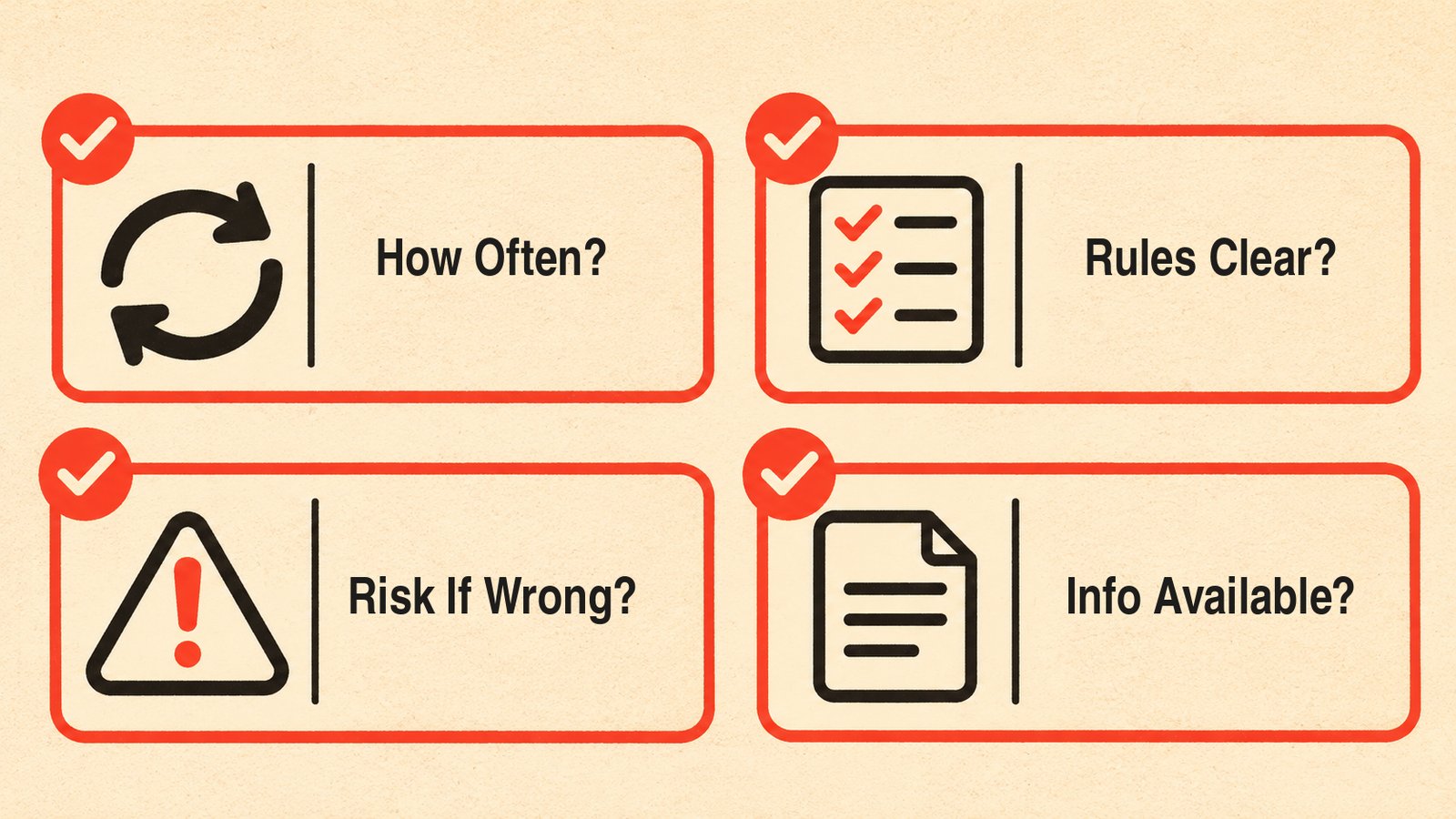
The most common mistake is trying to automate everything in the business at once. A better approach is to score candidate tasks against four plain questions.
How often does it happen. A task you do twenty times a week is a far better candidate than one you do twice a month, because the setup time pays back faster.
Are the rules clear. If you could explain exactly how to do the task to a new hire in a few sentences, it is a strong candidate. If your honest answer is always it depends, the task is not ready to automate yet; it needs a clearer process first.
What happens if it goes wrong. A reminder text sent with a small error is low risk. A quote sent with the wrong number attached is not. Start with low risk tasks and keep a person reviewing anything higher risk until you have real confidence in the system.
Is the information actually available. Automation needs something to work with. If the details only live in your head, on paper, or scattered across three different apps that do not talk to each other, capturing that information properly comes before any automation conversation.
A task that is frequent, rule based, low risk and already documented somewhere is a strong first project. Common examples across Vancouver service businesses include sending appointment reminders, sorting new enquiries by type, logging call and message details into one place, chasing unpaid invoices on a polite schedule, and asking for a review once a job is finished.
What to ask any AI business automation provider in Vancouver
Vancouver has a large number of agencies and consultants offering AI business automation, and separating a strong one from an average one usually comes down to the specifics in the conversation, not the confidence of the pitch.
Ask what they would automate first, and why, based on what you have told them about your business, rather than a generic package they sell to everyone. Ask how they would measure whether it worked: a specific, checkable outcome such as faster first replies or fewer missed follow ups, not a vague promise about efficiency. Ask whether the plan connects the tools you already use or asks you to replace software you have paid for and your team already knows; a plan that forces a wholesale switch for no clear reason is worth questioning.
Ask directly where your customers' information will be stored, who can see it, and what happens to it if you stop working with that provider. Ask what a pilot or first phase actually costs and what it includes, separate from any ongoing retainer, so you can judge the first step on its own before committing to more. Ask for one or two references from businesses of a similar size to yours, not necessarily in your exact industry, and ask what went wrong during that project as well as what went right; a provider with nothing to say about a bump along the way is less convincing than one who can describe a fix.
Finally, ask what stays with a person on your team once the automation is running. A provider who cannot answer that clearly has probably not thought carefully about where the AI's judgment should stop.

Red flags worth walking away from
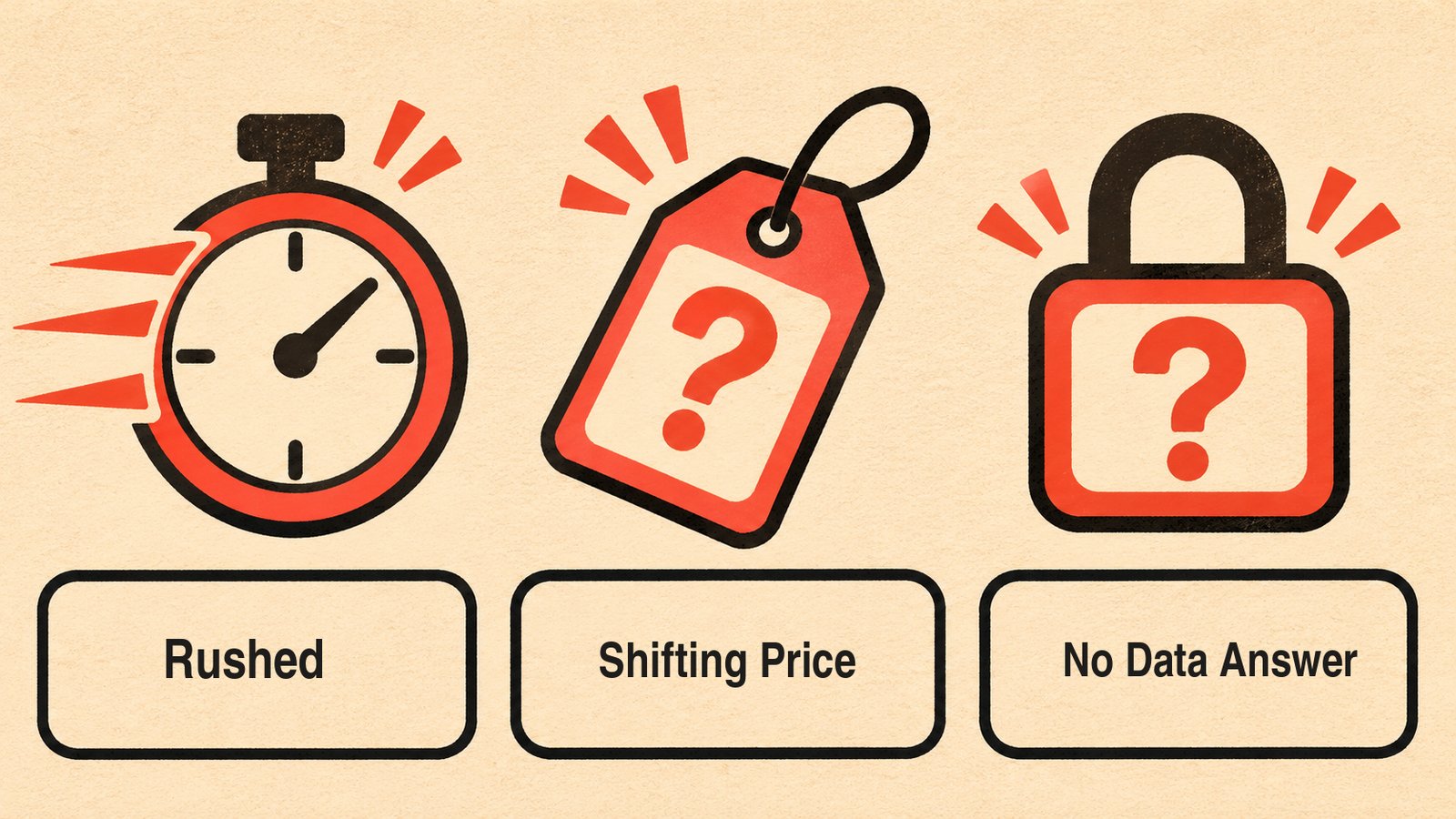
A few patterns show up often enough in this category to name plainly. Pressure to sign a retainer before any scoping conversation has happened. Pricing that shifts meaningfully between the first call, the proposal and the contract, with no clear reason for the change. Reluctance to answer a direct question about where data is stored or who can access it. A pitch built entirely around transforming your whole business at once, with no concrete first task named. No plan at all for a person to review what the AI produces, especially anything touching money or a customer promise. And a portfolio made up only of logos or testimonials with no specific detail about what was actually built or what it changed.
None of these automatically means a provider is dishonest. They are, however, reasonable reasons to ask more questions before you commit, and a provider worth working with should welcome those questions rather than rush past them.
Privacy and data: what is different for a business based in BC
Most Canadian privacy guidance defaults to PIPEDA, the federal Personal Information Protection and Electronic Documents Act. British Columbia is one of a small number of provinces with its own private sector privacy law, the Personal Information Protection Act, generally referred to as BC PIPA, which the federal Office of the Privacy Commissioner recognizes as substantially similar to PIPEDA (priv.gc.ca). In practice, this means that for a Vancouver business whose customers and data stay inside BC, BC PIPA is typically the law that applies, with BC's own Office of the Information and Privacy Commissioner as the relevant regulator rather than the federal office.
That distinction matters in a very practical way once AI tools enter the picture. Cloud based AI services often process or store data outside BC, sometimes outside Canada entirely, which can bring federal PIPEDA obligations back into play alongside provincial ones, or raise separate questions about cross border data transfer that are worth asking about directly. None of this is a reason to avoid automation. It is a reason to ask any provider a specific question before you start: where exactly will this data be processed and stored, and does that change which privacy law applies to us. This article is general information, not legal advice; a business handling sensitive customer data in volume is well served by a few minutes with a lawyer who knows BC privacy law specifically.

Who this suits, who it does not, and what to do first
AI business automation tends to suit owner operated and small team businesses in Vancouver with a steady, repeatable flow of enquiries, bookings or invoices, where the same information gets typed into more than one system. It suits businesses that already have some tools in place, a calendar, accounting software, a customer list, that do not currently talk to each other. It suits owners willing to spend a little time up front describing how the work actually happens today, because that description is most of what any good provider needs.
It is probably too early if you are still actively deciding how the business should run day to day, since automating a process that is still changing tends to lock in confusion rather than remove it. It is also likely not worth it yet if you only handle a handful of enquiries a month, where a simple checklist or a better calendar habit may do the job without any software spend at all. And it is not the right fit for anyone looking for a tool that removes the need for oversight entirely, because no tool on the market actually does that.
What to do first, before you talk to anyone: for one week, write down every repetitive task you or your team handle, and roughly how long each one takes. Circle the two or three that happen often, follow clear rules, and are low risk if something goes slightly wrong. Note which existing tools each one touches. That short list is the single most useful thing you can bring into a first conversation with any provider, and it will make clear within minutes whether their plan actually fits what you described.
What a well planned automation can realistically help with
- +Faster first replies
Enquiries get acknowledged and the right questions asked straight away, even when your team is on a job or with a client.
- +Fewer double entries
Details move between the tools you already use instead of being retyped by hand, which also cuts the small errors that come with retyping.
- +More consistent follow up
Quotes, reminders and review requests go out on a schedule instead of depending on someone remembering.
- +A clearer view of where things stand
Enquiries, quotes and jobs get recorded in one place rather than split across texts, emails and sticky notes.
- +Less evening admin
Routine tasks run in the background so the time you spend on the business is spent on customers and paid work, not retyping.
- +Room to take on more without adding admin headcount
Handling a busier month does not automatically mean hiring another person just to keep up with the paperwork around it.
What it costs and how to take the next step
What AI business automation costs depends on a handful of real factors: how many workflows you want built, how many existing tools need to be connected, how tidy your current information already is, how much testing and review the first version needs, and whether you want ongoing support and adjustments afterward. Because those factors vary this much from one business to the next, we are not going to put a single number on it here, and you should be cautious of any provider who quotes a firm price before understanding your actual setup.
The fastest way to get a real answer is to describe your busiest repetitive tasks and let a provider tell you what is realistic for your situation specifically. A sensible next step is a short, low pressure conversation. Message us on WhatsApp at +1 306-518-7811 (https://wa.me/13065187811) or call +1 (306) 518-7811. You can also book a free 15 minute discovery call at underdogcreativesolutions.com/contact.
How Underdog approaches AI business automation for Vancouver businesses
Underdog Creative Solutions works with small and growing businesses across Canada and the United States, including Vancouver, and we work with clients remotely by phone, video and WhatsApp rather than requiring an in person meeting. Our AI business automation work covers custom AI agents, CRM automation and AI integrations, which in practice means connecting the tools you already use rather than asking you to rebuild your systems from scratch around ours.
We also build websites, create ongoing content, and set up AI receptionists, and the four services tend to fit together in a natural order for a lot of businesses. A modern website gives customers, and AI tools such as ChatGPT that read the web, clear information to find in the first place. Ongoing content builds visibility over time. An AI receptionist answers calls and messages and captures the details. Automation then carries that information into your customer list, your calendar and your follow ups, instead of it sitting in a voicemail transcript nobody gets back to.
You do not need all four to get started, and we are not going to suggest you buy a bundle. Most businesses begin with the one piece that is causing the most pain right now, and working out which one that is for you is a reasonable thing to spend fifteen minutes on before spending anything else.
Frequently asked questions
Talk to Underdog about your business
Have questions about your website, content, AI receptionist or business automation? Message us on WhatsApp at +1 (306) 518-7811 or call +1 (306) 518-7811. You can also email support@underdogcreativesolutions.com or book a free 15 minute discovery call.
Follow Underdog Creative Solutions on Facebook, Instagram, LinkedIn, and YouTube for practical AI and marketing ideas for Canadian small businesses.