// SMALL BUSINESS
How Much Does a Small Business Website Cost in Saskatoon in 2026?

There is no single price for a small business website in Saskatoon. The cost follows what you ask for: how many pages you need, who writes the words and takes the photos, what the site has to do, and how much help you want after it goes live. A good quote spells out what is included, what is not, and which costs repeat every year or every month. If you have searched for small business website cost Saskatoon owners are quoted, you have probably found price ranges that stretch from almost nothing to a very large number, with little explanation of why. This guide explains the reasons instead. It covers what drives a quote, which costs continue after launch, who should own the domain, how to compare bids that do not look alike, and when it makes sense to wait. We do not print dollar figures here on purpose, because a number in a general article would only describe somebody else's project.
Why is it so hard to get a clear price for a website?
Ask three providers to quote on a website for your business and you can receive three very different answers. That does not mean two of them are wrong. The word website covers a one page online business card, a twelve page service site with online booking, and a shop with hundreds of products, and the work behind each is not comparable.
A second cause is that quotes often leave things out without saying so. One may include writing the text and sourcing the photos, while another assumes you will supply both. One may include a year of hosting and updates, while another ends the day the site launches. When totals are compared and the lists of inclusions are not, the lower price can look like the better deal until the missing items arrive as extra invoices.
The third cause sits on the buyer's side. Many owners are asked for a budget before they know what a website could include, so they guess. A guess made without a scope is usually either too low for what they actually want or higher than they needed. The fix is not to find the right number first. It is to describe the job clearly enough that quotes can be compared, which is what the rest of this guide helps you do.
What are you paying for when you buy a small business website?
A finished website is several pieces of work plus several ongoing services. Naming them makes a quote much easier to read.
Planning: deciding which pages you need, what each one should say and what a visitor should do next, such as call, book or send a message.
Design: how the site looks and works on phones, tablets and computers. This ranges from adjusting an existing template to designing layouts from scratch.
Build: turning the design into working pages, forms and features, and connecting them to your calendar, email or other tools.
Content: the words, photos, video and service descriptions. This is the piece owners most often underestimate.
Search setup: page titles, headings, fast loading, a clear structure and accurate business details that search engines and AI tools can read.
Launch and testing: connecting the domain, checking every form and confirming the site works on different browsers and phones.
A short glossary helps with the jargon in quotes. A domain is your web address. Hosting is the service that keeps the site online. A content management system, or CMS, is the tool that lets you edit pages without writing code. A security certificate is what lets your address start with https and show a padlock in the browser, and it is worth asking whether it is included. A template is a ready made design adjusted for you, while a custom design is planned around your business from the start.
One quote may price all of this as a single project. Another may split it into parts. Neither is wrong, as long as you can see which parts are covered.
How does a website project work, from brief to launch?
Most projects follow the same steps, whoever does the work. Knowing them helps you see what each quote covers and what you will be asked to supply.
Brief. You describe your business, your customers, the pages you think you need and the action you want visitors to take.
Scope and quote. The provider lists what is included and what is not, the timeline, the payments and the ongoing costs.
Content and structure. Pages, headings and text are planned. This step stalls more projects than any other, because it needs your time.
Design and build. The site is designed and made, with features and integrations connected.
Review. You check the pages, the facts and the forms, and request changes within the agreed number of rounds.
Testing and launch. Forms, phone layouts and page speed are checked, then the domain is pointed at the new site.
After launch. Training, updates, backups and support begin, if they are part of the agreement.
You are responsible for accuracy at the review step. A provider can build a page, but only you know whether your service area, hours and policies are right, so read every page the way a customer would.
What drives small business website cost in Saskatoon?
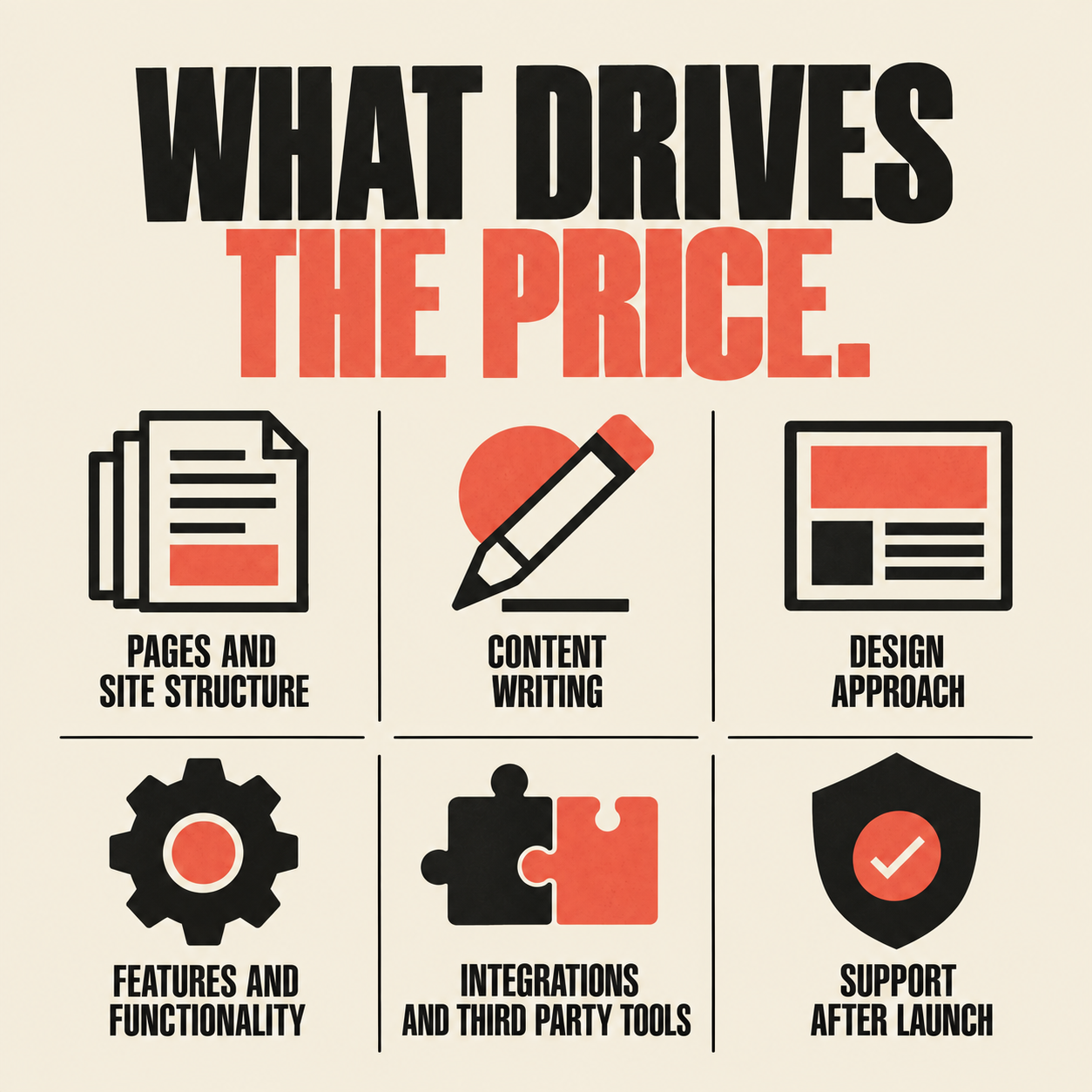
Ten factors do most of the work. When you ask for a quote, have an answer ready for each one, even if the answer is not sure yet.
Number and type of pages. A five page site and a thirty page site are different amounts of work. So are pages that repeat a pattern, such as one per service, and pages that need their own layout.
Content. Who writes the text, who takes or buys the photos, and whether your service descriptions are ready or must be drawn out of you in interviews. Writing takes real time, and so does gathering approvals.
Design approach. Adapting a template is quicker than a custom design and usually costs less. Custom design can make sense when your business works in an unusual way, or when the look of the site is a large part of how you compete.
Features. A contact form is simple. Online booking, quote requests with file uploads, online payments, a members area or a shop each add build time, testing and upkeep.
Integrations. Sending form details to your calendar, customer list, accounting package or phone system means someone has to set up and test each connection.
Search and AI readability. Clear page structure, sensible headings, fast loading and accurate business information take planning. This belongs in the build, though how far it goes varies. A later section explains what Google says about it.
What you already have. A logo, brand colours and good photos save time. An old site that must be moved, with its addresses redirected so existing links keep working, adds work.
Who does the work. A single freelancer, a small studio and a larger agency organize their time and risk differently. Price alone does not tell you which is more reliable. What matters is who is accountable if something goes wrong and who will still be around next year.
Timeline and revisions. A fixed launch date, a rush, or many rounds of changes all affect the price. Ask how many rounds are included and how extra changes are handled.
Support after launch. Training, updates, backups, security checks and edits either sit inside the quote or become a separate ongoing service. Find out which.
None of these factors is a trick. They are the real levers, and knowing them lets you decide which ones to turn up and which to keep lean.
What do you pay once, and what keeps costing money after launch?
Owners are often more surprised by the second list than the first.
Usually paid once: planning, design, build, content creation, search setup, testing and launch. Some providers split these into milestone payments. Ask when each payment is due and what must be delivered before it is.
Usually repeating: the domain name, hosting, business email accounts if you use them, paid plugins or software licences, security updates and backups, booking or form subscriptions, and edits or new pages when your business changes. Some repeat yearly, some monthly, and some depend on how much you use them.
One detail for anyone who wants a .ca address: CIRA, the organization that manages the .ca domain, requires registrants to meet its Canadian Presence Requirements. The eligible categories include Canadian citizens, permanent residents and corporations. Check the categories with your registrar, and make sure the registration is in your business's name or your own, which leads to the next question.
There is also a cost that never appears on an invoice: your own time. Someone in your business needs to supply information, approve drafts and answer questions, usually more often than expected. A project that stalls for weeks because nobody has the content ready is one of the most common reasons a site launches late.
Ask every provider for a one page list of costs after launch, showing the amount, how often it repeats and what happens if you stop paying it.
Who owns the website, the domain and the accounts?
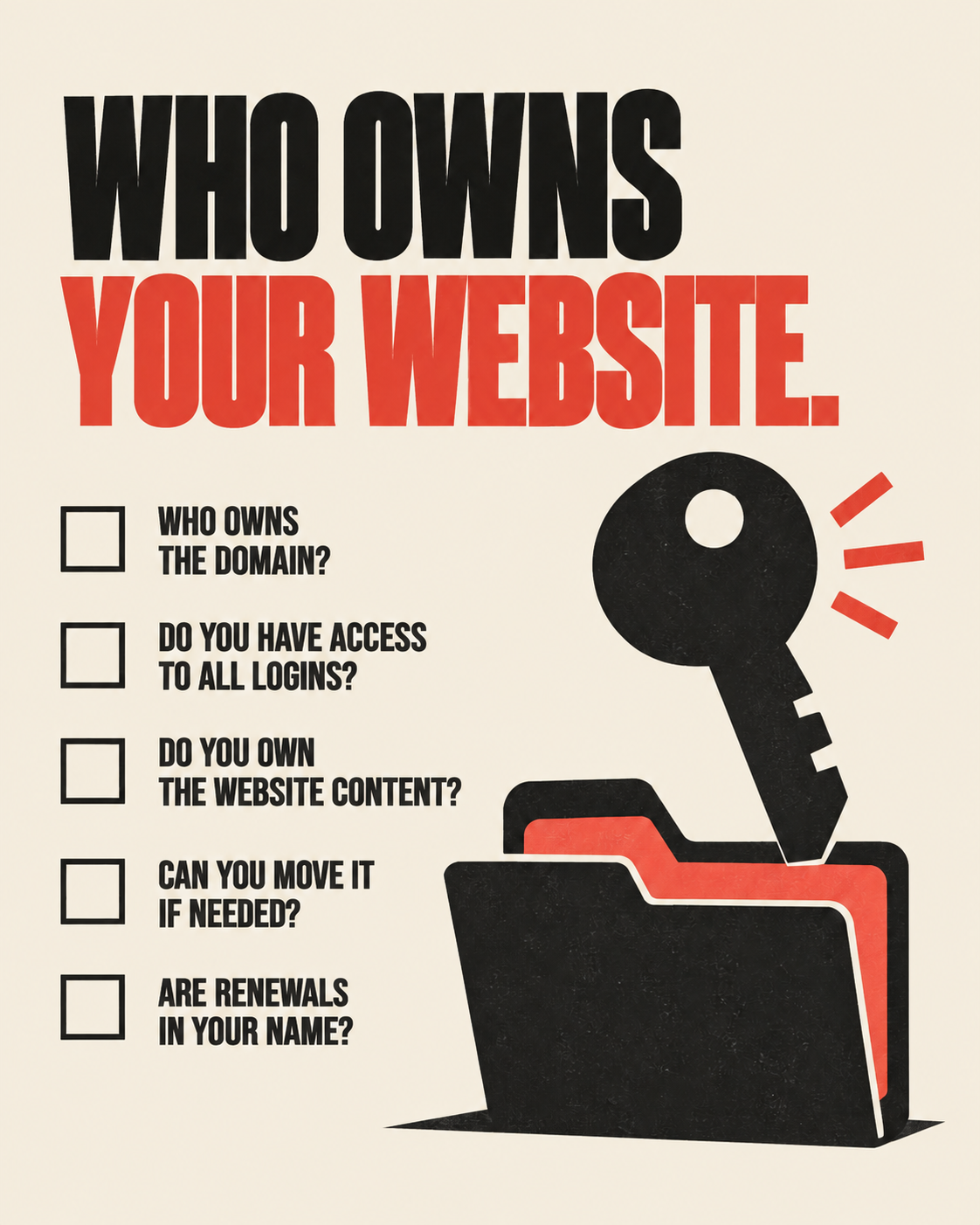
Price guides tend to skip this question, and it can matter more than the price. Ask these before you sign anything.
Whose name is the domain registered in? It should be yours, with you listed as the owner, not the provider.
Will you receive administrator logins for the site, the hosting and any connected accounts such as analytics, forms and booking tools?
If you stop working with the provider, can you take the site with you, and in what form? Some sites move easily. Others depend on the provider's own tools and cannot be exported without a rebuild.
Who owns the written content, photos and design files? Stock images and paid fonts are often licensed, and a licence may not transfer to you.
Is there a minimum term on any monthly service, and what does it cost to leave?
Who holds the backups, and how quickly can the site be restored if something breaks?
A provider who answers these plainly is easier to trust than one who is vague. None of this suggests that anyone intends to trap you. It is ordinary good practice, similar to asking who holds the keys to a space you are renting.
Should I build it myself, hire a freelancer or hire an agency?
All three routes are reasonable in the right situation. The best one depends on your time, your budget and how central the website is to winning work.
Building it yourself with a website builder suits a business that is just starting, has one simple offer and has an owner with the time and interest to learn the tool. The cost is mostly your time plus the builder's subscription. It suits less well a business that needs custom features, has no time to maintain a site, or finds writing about itself difficult.
Hiring a freelancer suits a business that wants one personal contact and a clearly defined project. Ask what happens if the freelancer is unavailable or moves on, and who else has access to your site.
Hiring a studio or agency suits a business that needs several skills at once, such as design, writing, search setup and integrations, along with ongoing support and someone to answer to. It usually brings a more structured process and more paperwork. It is not automatically better, and a small business with a very simple need may pay for structure it never uses.
Many businesses combine routes: an outside provider builds and structures the site, and the owner handles routine updates afterward. If that is your plan, ask for training and a short written guide as part of the quote.
Can ChatGPT build me a website?
Partly, and it depends on what you mean by build. AI tools can draft page text, suggest a page structure, propose headings and produce starter code or layouts. Several website builders also include AI features that generate a first version of a site. For a simple site, that can be a useful way to get started or to test an idea.
What an AI tool does not do on its own is everything around the draft. Someone still has to check every fact, including your services, service area, hours and policies, because AI text can contain details that are wrong or that you do not offer. Someone has to register the domain, set up hosting, connect the contact form to an inbox that is actually watched, test the site on phones, and keep it updated and backed up. And someone has to decide what to say that is specific to your business, which is what makes a page useful to a customer.
Google's guidance on generative AI content says AI can help with research and structuring content, but that using it to generate many pages without adding value for users may violate its spam policy on scaled content abuse. It also says to focus on accuracy, quality and relevance, especially when content is generated automatically. Google's documentation on AI Overviews and AI Mode says there are no additional requirements to appear in them and no special optimizations needed. A page has to be indexed and eligible to be shown in Google Search with a snippet, so the basics that support ordinary search results are the foundation.
Nobody can promise that a particular site will be recommended by ChatGPT or any other AI tool, so treat anyone who does with caution.
A practical middle path is to use AI for first drafts and have a person check and finish the result. That may reduce the amount of writing you need to pay for, but the checking is not optional.
How do I compare website quotes?
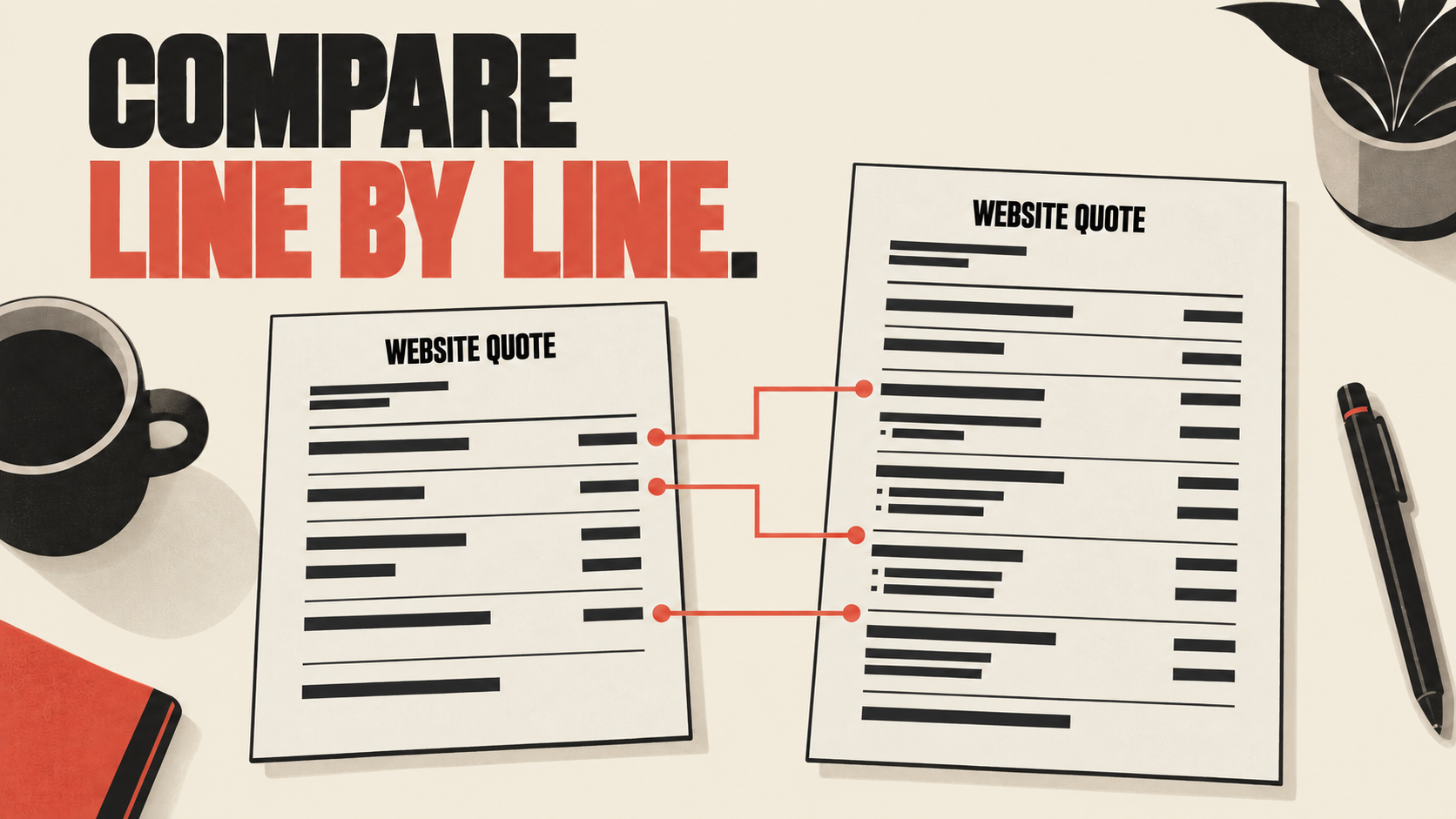
Give every provider the same written brief, then line up the answers side by side. This checklist covers the points that most often explain a gap between two totals.
Scope: the pages, listed by name, and any features.
Content: who writes the text, who supplies the photos, and how many rounds of edits are included.
Design: template or custom, and how many design revisions are included.
Search setup: what is included, described in plain language, with no promises about rankings.
Integrations: which tools are connected and who tests them.
Timeline: the start date, the review points, the launch date, and what you must supply and by when.
Payments: the amounts, when they are due and what has been delivered by then.
Ownership: the domain, logins, content and export options.
After launch: support period, updates, backups, security, training and monthly costs.
Taxes: whether GST and any other applicable taxes are included or added on top.
Changes: how extra requests are priced.
References: past work you can look at and people you can ask.
Then read the lowest and the highest quote against that list and find the item that explains the difference. If a provider cannot or will not explain a difference, that is useful information too.
Watch for a few warning signs: no written scope, promises of first place rankings or a set number of leads, pressure to sign quickly, vague language such as unlimited revisions with no limits described, and reluctance to say who owns the domain and the site.
Example: two quotes that look far apart, and why
This is an invented example to show how to read quotes. It is not a real business, and it says nothing about what any provider charges or includes.
A Saskatoon landscaping company asks two providers to quote on a nine page website with a quote request form.
Quote A is much lower. On close reading, the owner finds that it covers a template based design and build, assumes the owner will write all the text and supply every photo, includes one round of changes, says nothing about the domain or hosting, and ends at launch.
Quote B is higher. It includes interviews to draft the text, help sourcing photos, two rounds of changes, the domain registered in the company's name, the first year of hosting, a quote form connected to the owner's calendar, and two months of support after launch.
Comparing totals alone, Quote A looks like the clear winner. Once the missing items are priced, such as writing time, photos, hosting and support, the gap may be much smaller, or it may disappear. The owner might still choose Quote A because they enjoy writing and already have good photos of their work. That is a sound decision when it is made knowingly. The point is that the comparison should rest on scope, not on the total.
Is there anything specific to Saskatoon businesses?
Cost is set by the factors above, not by the city, but a few local points help.
Keep your details consistent. The business name, phone number and address or service area on your website should match your Google Business Profile and other listings, so customers and search engines see one clear picture. If you serve customers beyond Saskatoon, ask how your service area will be presented on the site.
Plan around your season. Lawn care, landscaping, snow removal and many home services are busy at certain times of year. A website should be ready before your busy season starts, because gathering content and testing take longer than most owners expect.
Local is helpful but not required. Working with a Saskatoon provider makes it easier to meet in person or by phone in the same business hours, to ask for local references you can call, and to have someone who knows the market. Many good providers work remotely. Whoever you choose, judge them on scope, ownership terms and references, not on location alone.
Who should spend more, who should keep it lean, and when should you wait?
Spending more tends to make sense when the website is a main source of enquiries, when customers compare several businesses online before they call, when you need booking or quote tools connected to your other systems, or when you have several services or service areas that each need their own pages.
A lean site tends to make sense when most of your work comes from referrals and you need somewhere credible to send people, when you have one clear service, when you are new and expect your offer to change, or when you would rather start small and grow the site later. A lean site can still be well built. It is smaller, not careless.
Waiting can be sensible when you have not decided what you sell or what to charge, when a rebrand or a move is coming soon, when nobody on your team has time to supply content and approve drafts, or when nobody is responsible for the site after launch. Building into that uncertainty usually means paying to rebuild.
What to do first: write a one page brief. List the pages you think you need, the one action you want a visitor to take, the features you need now and the ones that can wait, who will provide the content, who will look after the site, and the most you are comfortable spending. Then ask each provider to price a smaller option and a fuller one, so you can see what each extra buys. That brief will be worth more to you than any guide's price range.
What a well scoped website can do for a Saskatoon business
- +Answers before a call
Customers can see your services, service area and how to reach you before they pick up the phone.
- +Enquiries in one place
Forms and messages go to an inbox or system that someone actually watches.
- +A base for other marketing
Content, your Google Business Profile and social posts can all point to one address you control.
- +Information tools can read
A clear structure and accurate details help search engines and AI tools understand your business, with no promise about rankings.
- +Easier updates
Hours, services and seasonal changes can be edited without starting again.
- +A site you own
The domain and logins are in your name, so you can move on if you need to.
- +Costs you can plan for
A written scope and a list of ongoing costs make the year ahead easier to budget.
What does Underdog charge, and how do you take the next step?
We do not quote a figure in an article, because no figure would describe your project. Our quotes are shaped by the same factors listed above: pages, content, features, integrations and support after launch. We encourage you to ask us the same questions you would ask any provider, including the ownership questions, and to expect clear answers. You can see how our website plans are set out at underdogcreativesolutions.com/website-pricing and compare them at underdogcreativesolutions.com/pricing/compare-website-plans.
A sensible next step is a short, low pressure conversation about your brief. Message us on WhatsApp at +1 306-518-7811 (https://wa.me/13065187811) or call +1 833-998-1234. You can also book a free 15-minute discovery call at underdogcreativesolutions.com/contact.
How does Underdog approach websites for small businesses?
Underdog Creative Solutions is a Saskatoon based agency that works with small and growing businesses across Canada and the United States. Our website solutions aim to give you a modern, fast site with clear information that Google and AI tools that read the web can understand, without any promise about rankings or about any tool recommending your business.
A website sits next to our other services. Content solutions keep the site useful and current. An AI receptionist can answer calls and messages when your team is busy and capture details for follow up. AI business automation can carry website enquiries into your calendar and customer list, with a person reviewing anything that involves a price, a promise or an upset customer. Many businesses only need the website to begin with, and we would rather work out what you need than sell you a bundle.
Frequently asked questions
Talk to Underdog about your business
Have questions about your website, content, AI receptionist or business automation? Message us on WhatsApp at +1 306-518-7811 (https://wa.me/13065187811) or call +1 833-998-1234. You can also email support@underdogcreativesolutions.com.
Follow Underdog Creative Solutions on Facebook, Instagram, LinkedIn, and YouTube for practical AI and marketing ideas for Canadian small businesses.