// SMALL BUSINESS
AI Workflow Automation Examples for Saskatoon Service Businesses
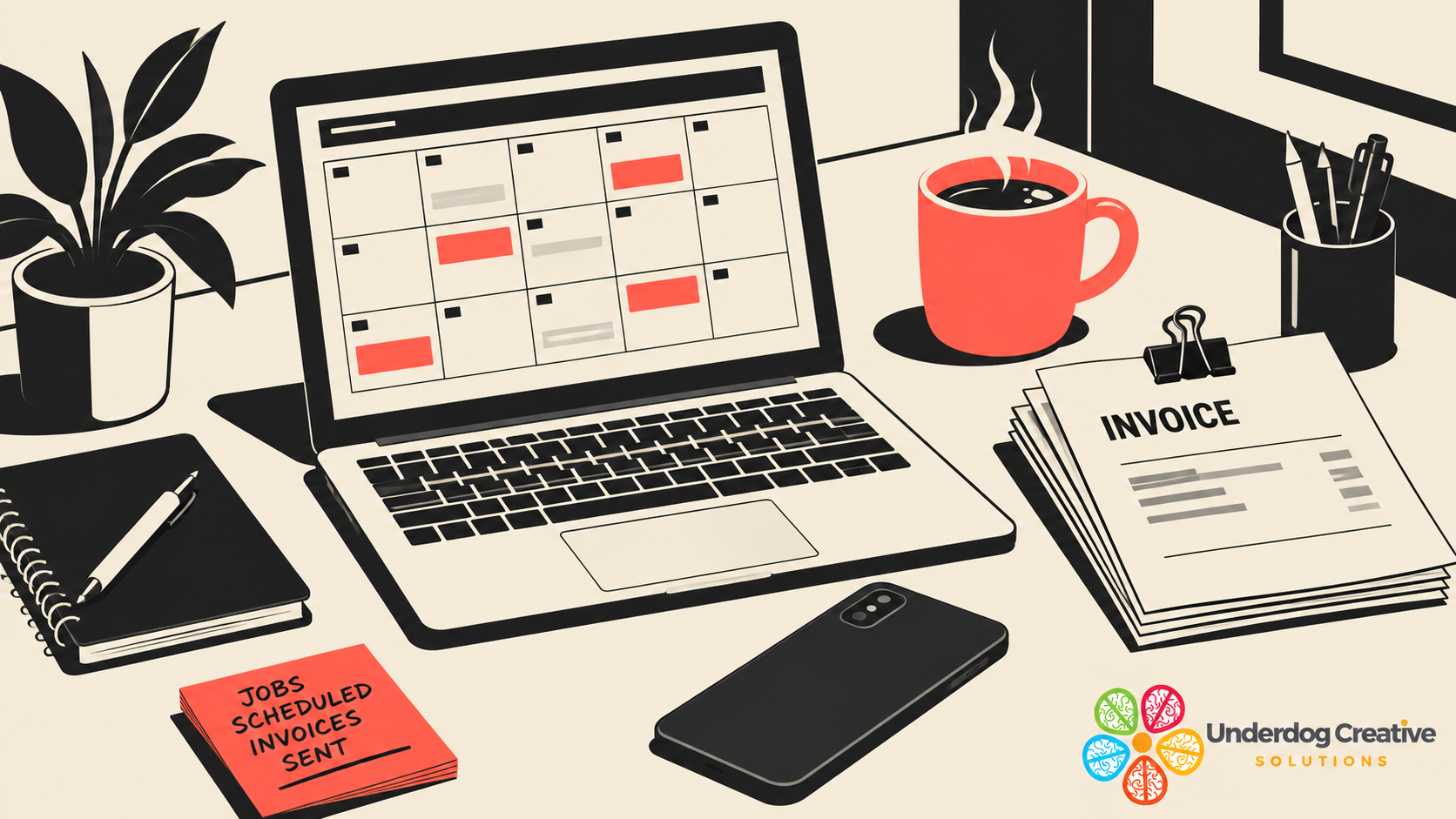
A new enquiry lands in your inbox on a Tuesday afternoon. A crew is halfway through a job on the other side of Saskatoon, the phone has already rung twice this hour, and the reply to that enquiry sits in a browser tab until someone finally gets a free minute at six in the evening. By the time that reply goes out, the person who sent it has often already booked with whoever answered first. This is the everyday problem that AI workflow automation is built to solve. It is not about replacing judgment or handing your business over to software. It is about closing the gap between the moment something happens (an enquiry arrives, a job finishes, an invoice comes due) and the moment a person can act on it. For a service business in Saskatoon, that gap is where jobs, reviews, and paid invoices quietly go missing, one small delay at a time. This guide walks through what a workflow automation chain actually is, then gives six worked examples built around real moments in a Saskatoon service business: an enquiry, a finished job, an unpaid invoice, a missed call, a booked appointment, and a quote that has gone quiet. Each example is labelled clearly as an example, not a promise, and each one shows exactly where a person still checks the work before anything reaches a customer.
Why the gap between an event and a response costs more than it looks
Most small business owners do not lose work because they are bad at their trade. They lose it because the business runs on a person's attention, and attention cannot be in two places at once. A plumber under a sink cannot also be typing a quote. A landscaping crew loading equipment at seven in the morning cannot also be replying to last night's enquiries. An office manager handling payroll on the last Friday of the month cannot also be chasing every invoice that quietly went thirty days overdue.
None of this shows up as a single dramatic loss. It shows up as a pattern: the enquiry that got a same day reply instead of a next day reply, the review request that never went out because everyone forgot once the invoice was paid, the second reminder that should have gone out on day fifteen and instead went out on day forty. Individually, each gap looks small. Across a year, in a service business handling dozens of enquiries and jobs a month, the pattern adds up to real lost revenue and a slower moving business than the owner intended to run.
The instinct is often to hire more office support to close these gaps. That can be the right call for a growing business, and nothing here argues against hiring when the workload truly needs a person full time. But a large share of what falls through the cracks is not judgment work. It is repetitive, rule based, and predictable: the same reply format, the same reminder schedule, the same request sent at the same point in every job. That is exactly the kind of work a workflow automation chain is built to carry, freeing the person on the team to spend their attention on the calls, quotes, and conversations that actually need a human.
What is a workflow automation chain, in plain terms?
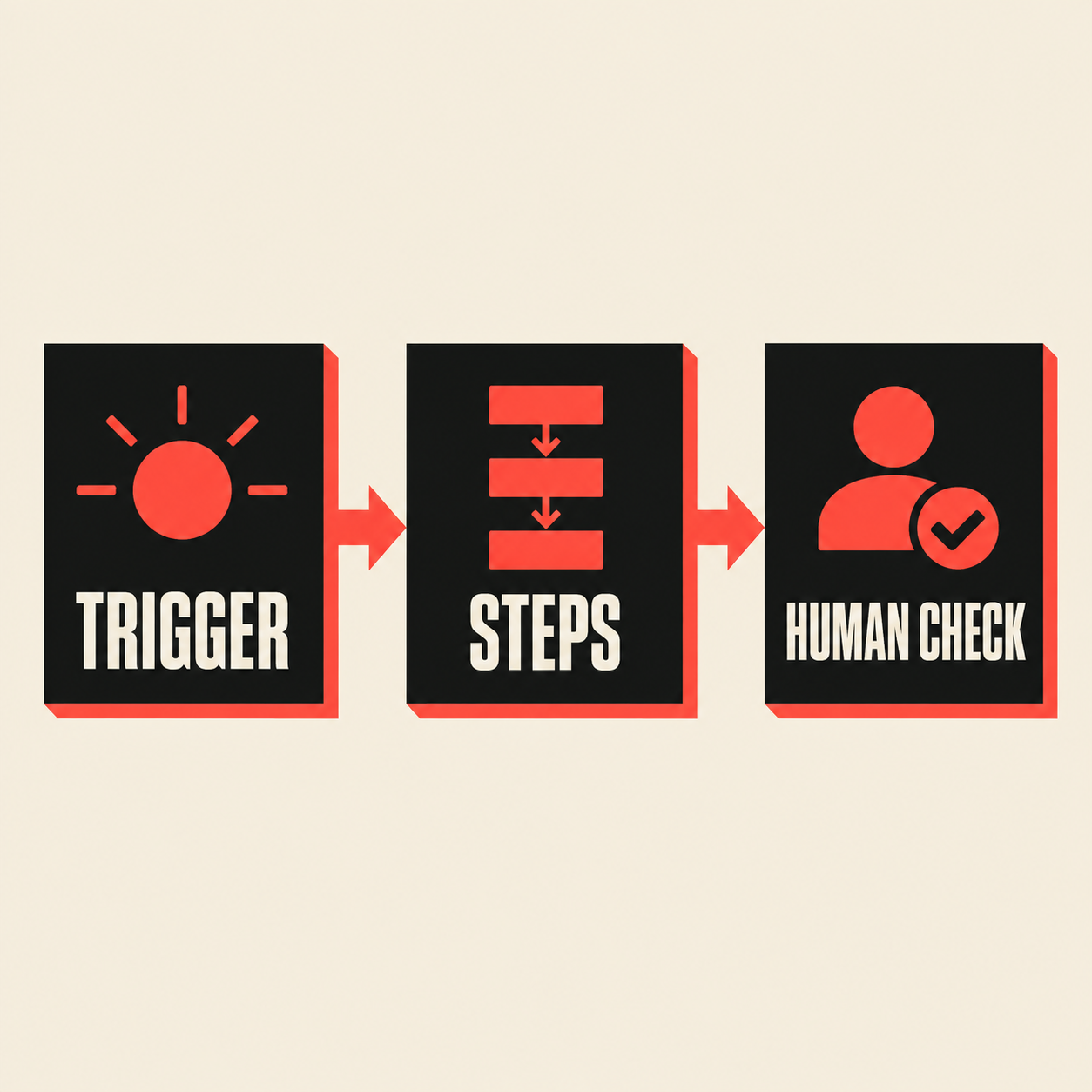
A workflow automation chain has three parts, and understanding these three parts is the difference between automation that works and automation that quietly creates new problems.
The trigger is the event that starts the chain: a new enquiry form is submitted, a job is marked complete in your scheduling tool, an invoice passes its due date, a call goes unanswered, an appointment is booked, or a quote has sat unanswered for a set number of days. The trigger has to be something specific and detectable, not a vague feeling that "someone should probably follow up."
The steps are what happens automatically once the trigger fires: a draft message gets written, a record gets updated, a reminder gets scheduled, a task gets created for a team member, or a follow up gets queued to send at a set time. These steps do the repetitive part: drafting, sorting, scheduling, and notifying, the same way every time.
The human check is the point where a person reviews, edits, approves, or steps in before anything reaches a customer, or confirms after the fact that the automated step did what it was supposed to. This is the part that separates a workflow automation chain from simply "letting AI handle it." A good chain never removes the person entirely from anything that carries real judgment, such as pricing a nonstandard job, handling a complaint, or deciding whether an exception applies. It removes the repetitive first draft and the risk of something being forgotten, and it leaves the decision with a person.
The next section shows how these three parts fit together in a single chain, before six worked examples set in a Saskatoon service business.
How a workflow automation chain is actually built
Building one chain usually follows the same four steps, whatever the trigger turns out to be.
First, write down what currently happens by hand, in order, including who does each step and roughly how long it takes. This sounds basic, and it is the step most often skipped, and skipping it is the most common reason automation projects disappoint. If nobody can describe the manual process clearly, there is nothing solid to automate yet.
Second, decide which parts of that process are repetitive and rule based (drafting a reply, updating a spreadsheet, sending a reminder on a fixed schedule) and which parts require judgment (agreeing a nonstandard price, handling a complaint, deciding whether to waive a fee). Only the first category is a candidate for automation.
Third, decide exactly where the human check sits. For most service businesses, the safest starting point is to have every automated draft (a quote, a reply, a reminder message) reviewed by a person before it goes to a customer, even if that review takes thirty seconds. As trust in the chain builds over weeks, some low risk steps, such as an internal notification or an appointment reminder with no pricing information, can run without a review step at all. Anything that involves money, a promise, or a customer complaint should keep a human checkpoint indefinitely.
Fourth, run the new chain alongside the old manual process for a short trial period, comparing outcomes before switching over completely and turning off the manual fallback. A workflow that saves time on paper but produces confusing or wrong messages in practice is worse than the manual version it replaced.
With that structure in mind, here are six worked examples, each set in a Saskatoon service business, each labelled as an example rather than a guarantee, and each showing exactly where a person checks the work.
Example: how does a new enquiry become a draft quote automatically?
Trigger: a new enquiry arrives through the website contact form, a booking widget, or a missed call that leaves a callback request.
Steps: the system pulls the basic details from the enquiry (name, contact information, job type, and any description the customer gave), checks it against your standard job types and pricing factors, and produces a draft quote or a draft reply asking for the two or three details still needed to quote accurately. For a plain, standard job this might be a full draft; for anything unusual it is simply a clear, organized summary ready for a person to price.
Human check: nobody sends a quote automatically. A person reviews the draft, adjusts pricing or scope for anything the automation could not judge (site access, timing, complexity), and sends it personally, or approves it with one click if the draft is already correct. The chain's job is to remove the blank page and the repeated typing, not to remove the judgment call on price.
For a Saskatoon trades or home services business fielding several enquiries a day, this alone can mean the difference between a same day quote and one that goes out two days later, after the customer has already booked someone else.
Example: how does a finished job turn into a review request, without feeling automatic?
Trigger: a job is marked complete in your scheduling or invoicing tool, or a technician logs the finish time on a mobile device.
Steps: a short, personalized message is drafted, naming the specific job and technician, and asking the customer for a review on the platform where it matters most for that business (commonly a Google Business Profile). The timing is set deliberately, often a day or two after the job, once the work has had a chance to hold up, rather than the moment the crew is still packing the truck.
Human check: the message template is approved once, up front, by the owner, and any job flagged as unusual (a complaint during the job, a return visit needed, a dispute over the invoice) is automatically excluded from the request rather than sent by default. A person can also review a short daily or weekly list of requests that went out, catching anything that should not have been sent.
This is a case where the automation's real value is consistency: most service businesses know that asking for a review matters, and most also know that in practice nobody remembers to ask every time. A chain built around job completion, rather than a person's memory, closes that gap without turning the ask into something that feels like a form letter.
Example: how do automated invoice reminders work without sounding aggressive?
Trigger: an invoice passes a set number of days past its due date (commonly the first reminder around one week overdue, a second reminder around three weeks, and a flag for a person's direct attention after that).
Steps: a reminder message is drafted using a polite, consistent tone and sent automatically at each stage, referencing the invoice number and amount owed without any pressure language. Each stage is spaced out deliberately so a customer is not contacted every single day, which tends to damage the relationship rather than speed up payment.
Human check: any invoice with a dispute noted against it, a payment plan already agreed, or a customer flagged as sensitive is automatically held out of the reminder sequence, and a person reviews that exception list regularly. Once an invoice reaches the final stage without payment, it is handed to a person for a direct phone call or personal message rather than another automated reminder, since a repeated conversation about money is exactly the kind of judgment call that should stay with a human.
For a Saskatoon service business managing invoices across a busy season, this chain mainly protects against the ordinary human failure mode: reminders that get postponed because the person responsible for sending them is tied up doing something else that day, and then postponed again the next day, until the invoice is two months old and much harder to collect.
Example: what happens to a missed call or an after hours enquiry (ai lead follow up)?
Trigger: a call goes unanswered, or an enquiry arrives outside business hours.
Steps: the system logs the contact details and the time of the enquiry, sends an immediate acknowledgement to the customer confirming the message was received and will be followed up, and creates a task for the first available team member the next business day, ranked by how the enquiry describes the job (an urgent sounding job flagged ahead of a general information request).
Human check: any enquiry that mentions an emergency, safety issue, or anything ambiguous is flagged for the fastest possible human follow up rather than queued normally, and a person reviews the overnight or weekend list first thing each morning before any further automated step runs. This chain does not attempt to resolve the enquiry itself. Its only job is to make sure nothing sent outside office hours sits invisible until someone happens to check.
This is a natural companion to an AI receptionist service, which can answer the call itself; the workflow chain described here is for enquiries that come in by form, text, or a voicemail with no immediate answering coverage, and it exists specifically so that a missed contact is never simply lost.
Example: how does an appointment booking turn into a reliable reminder chain?
Trigger: an appointment or job is booked into the calendar with a confirmed date and time.
Steps: a confirmation message goes out immediately with the date, time, and any preparation the customer needs to do (clearing an area, being present for access, gathering information). A reminder follows at a sensible interval before the appointment, commonly the day before, with a simple way to confirm or request a reschedule.
Human check: any reschedule request routes straight to a person rather than being handled automatically, since fitting a job back into a full schedule is exactly the kind of judgment call that benefits from a human looking at the whole week. A person also reviews same day cancellations, since a pattern of late cancellations from one customer might need a different approach than an automated reminder can offer.
The benefit here is less about saving time on any single message and more about consistency: a reminder that always goes out, every time, at the same interval, tends to reduce no shows and last minute cancellations far more reliably than a reminder that depends on someone remembering to send it between other tasks.
Example: how do you follow up on a quote that has gone quiet?
Trigger: a quote is sent and a set number of days pass with no response from the customer (commonly three to five business days for a plain, standard job).
Steps: a short, low pressure follow up message is drafted and sent, checking in on the quote and offering to answer any questions, rather than repeating the full quote or applying pressure to decide. If there is still no response after a second, longer interval, the lead is marked as cold and removed from active follow up rather than contacted indefinitely.
Human check: a person reviews any quote where the customer replies with a question, an objection, or a request to adjust scope, since that conversation calls for a real answer rather than a template. A person also sets the cutoff point past which a lead stops being followed up automatically, so the business decides how persistent to be rather than leaving that judgment to the software.
This chain exists because the follow up on a sent quote is one of the most commonly forgotten steps in a busy service business: the quote itself often gets sent promptly, and then the person who sent it moves on to the next call and the follow up simply never happens unless something prompts it.
Which workflow should you automate first, and what should stay manual?
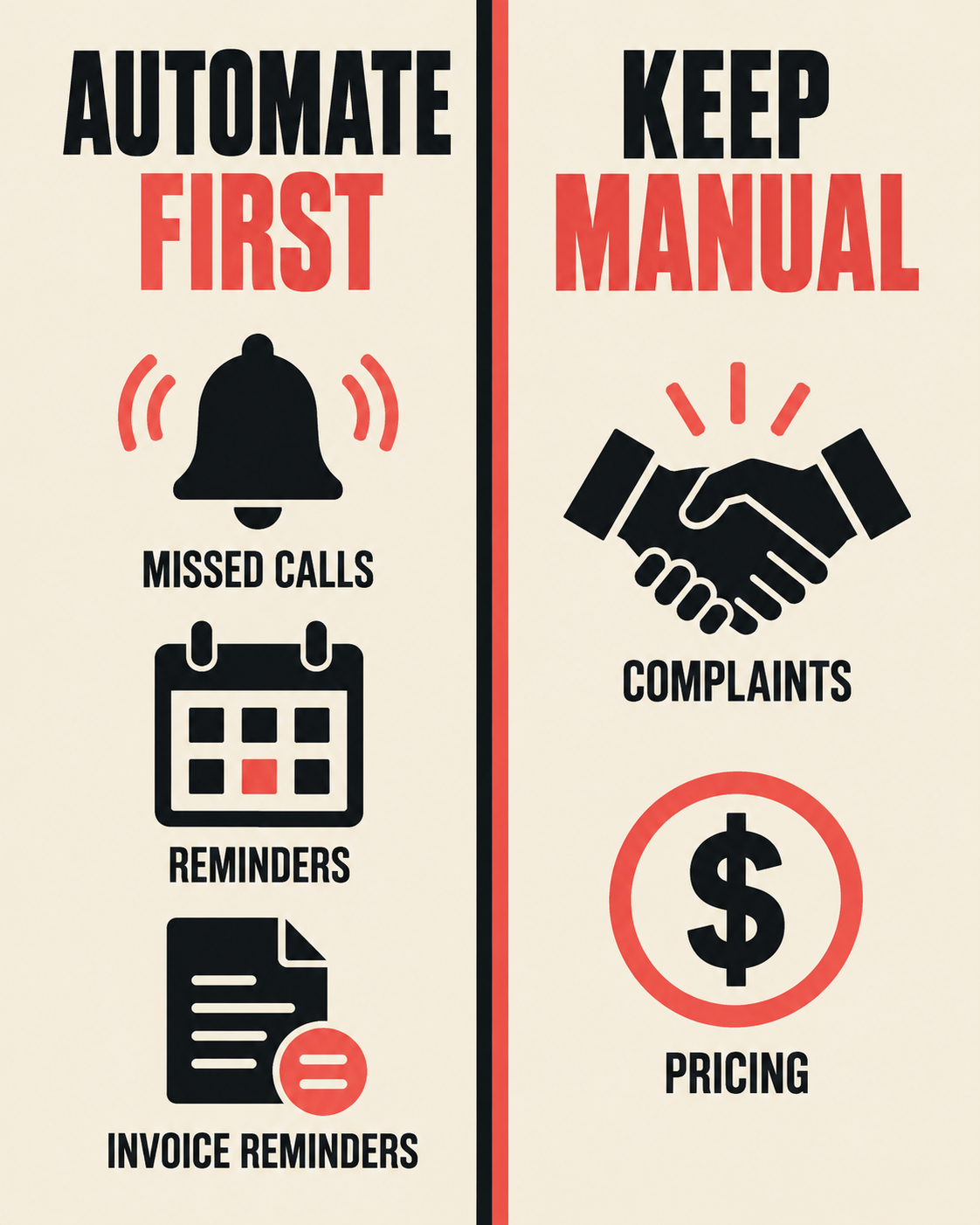
The workflow worth automating first is usually the one that happens most often, follows the same pattern almost every time, and carries the lowest risk if something goes slightly wrong on day one. For most Saskatoon service businesses, that tends to be either the missed call and after hours follow up (example four) or the appointment reminder chain (example five), since both are high frequency, low complexity, and easy to check against the manual process they replace.
This approach suits a business that already has a repeatable process, even an informal one, running through email, text, or a shared spreadsheet, and simply cannot keep up with the volume by hand. It particularly suits a multi crew trades or home services business, where the office side of the business (quoting, invoicing, scheduling) has to keep pace with several jobs happening in different parts of the city at once.
It suits a business less well if the volume of enquiries or jobs is still small enough that a person can comfortably keep on top of every one personally, or if the business is built around highly bespoke, relationship led work where every quote differs from the last. In that situation, the time spent building and checking an automated chain may cost more than it saves, at least for now.
What to do first, in order: write down the manual version of the single process causing the most friction today, decide which parts are repetitive and which need judgment, pick the smallest workable chain rather than trying to automate five things at once, and run it alongside the manual process for a couple of weeks before switching over fully.
What should never run without a person in the loop, regardless of how well a chain performs: anything involving a genuine emergency or safety issue, a customer complaint or dispute, a nonstandard price or a discount, and any message a customer could reasonably expect to have come from a specific person rather than a system. Workflow automation is at its best handling the repetitive first draft and the reminder nobody remembers to send. It is not a substitute for the judgment a business owner and their team bring to the calls and decisions that actually matter.
What changes when these chains are in place
- +Faster first response, without adding headcount
A drafted reply or quote that is ready for a quick review moves out the door in minutes instead of waiting for a free hour later in the day.
- +Fewer things forgotten during busy weeks
A review request, a reminder, or a follow up tied to an event (a finished job, a due date, a booked appointment) goes out on schedule, whether or not anyone remembers to trigger it by hand.
- +A more consistent experience for customers
Every customer gets the same acknowledgement, the same reminder timing, and the same tone, rather than a version that depends on how busy the office happened to be that day.
- +More of an owner's time spent on decisions that need a person
Time that used to go into repetitive typing and remembering shifts toward pricing judgment calls, difficult conversations, and the parts of the business that actually need a human.
What a measured next step looks like
There is no single price for setting up workflow automation, because the cost follows the number of chains being built, how they connect to your existing scheduling, invoicing, or CRM tools, and how much of the setup follows an existing pattern compared with fully custom work. Anyone quoting a fixed number before understanding your current process and tools is guessing.
A reasonable next step is a short conversation about the one process in your business that currently causes the most friction: the enquiries that go unanswered too long, the invoices that drift past due, or the reviews nobody remembers to request. From there it is possible to say plainly whether one workflow chain, a small set of them, or a different starting point such as an AI receptionist or a rebuilt website would address that friction most directly.
To talk through your specific situation, message Underdog Creative Solutions on WhatsApp at +1 306-518-7811 or call +1 833-998-1234. A free fifteen minute discovery call is also available at underdogcreativesolutions.com/contact, with no pressure to commit to anything on the call itself.
Where Underdog Creative Solutions fits, in plain terms
Workflow automation on its own solves one part of the problem: what happens after an enquiry, a job, or an invoice event occurs. Two related gaps are worth naming plainly, because a workflow chain does not fix either one by itself.
The first is what happens when a call comes in and nobody answers it at all. That is a different problem, solved by an AI receptionist that can answer, take a message, or book a simple appointment around the clock, rather than a workflow chain that only acts once an enquiry already exists in the system.
The second is whether a business is easy to find in the first place, by a person searching Google or by an AI tool such as ChatGPT summarizing options for someone asking about local services. A website and content that are clearly written, accurately describe what the business does, and are structured so both search engines and AI tools can read them plainly all affect whether a Saskatoon business shows up at all before any automation has a chance to help.
Underdog Creative Solutions works across website solutions, content, AI receptionist services, and AI business automation, including the kind of workflow chains described in this guide, and connects them where it actually helps a specific business, rather than presenting them as a bundle every client needs. Many businesses start with just one piece, such as a single workflow chain or a rebuilt website, and add another only once the first is working well.
Frequently asked questions
Talk to Underdog about your business
If one process in your business, quoting, invoicing, review requests, or following up on missed calls, is currently held together by memory and good intentions, that is usually a sign it is ready for a single, well built workflow chain rather than a wholesale overhaul.
Message Underdog Creative Solutions on WhatsApp at +1 306-518-7811, call +1 833-998-1234, email support@underdogcreativesolutions.com, or book a free fifteen minute discovery call at underdogcreativesolutions.com/contact.
Follow Underdog Creative Solutions on Facebook, Instagram, LinkedIn, and YouTube for practical AI and marketing ideas for Canadian small businesses.